
Q88 is the industry standard for tanker information management and enables owners, operators, charterers, and brokers to easily store, manage, and share vessel data through a centralized system.
With more than 1,000 automated questionnaire templates and accurate particulars for more than 8,700 vessels, owners and operators can maintain their vessel data once and have it auto-populate across all related questionnaires, saving time on manual entry, reducing knowledge silos, and accelerating response times for chartering and vessel requests.
As part of Veson’s ongoing commitment to helping clients get the most value from our solutions, we’ve refreshed and modernized the Q88 experience. The same tools our clients rely on for questionnaires, certificates, officer matrix, and inspections now feature a cleaner, more intuitive interface designed to make everyday work faster and clearer to navigate.
Here’s a look at what’s new:
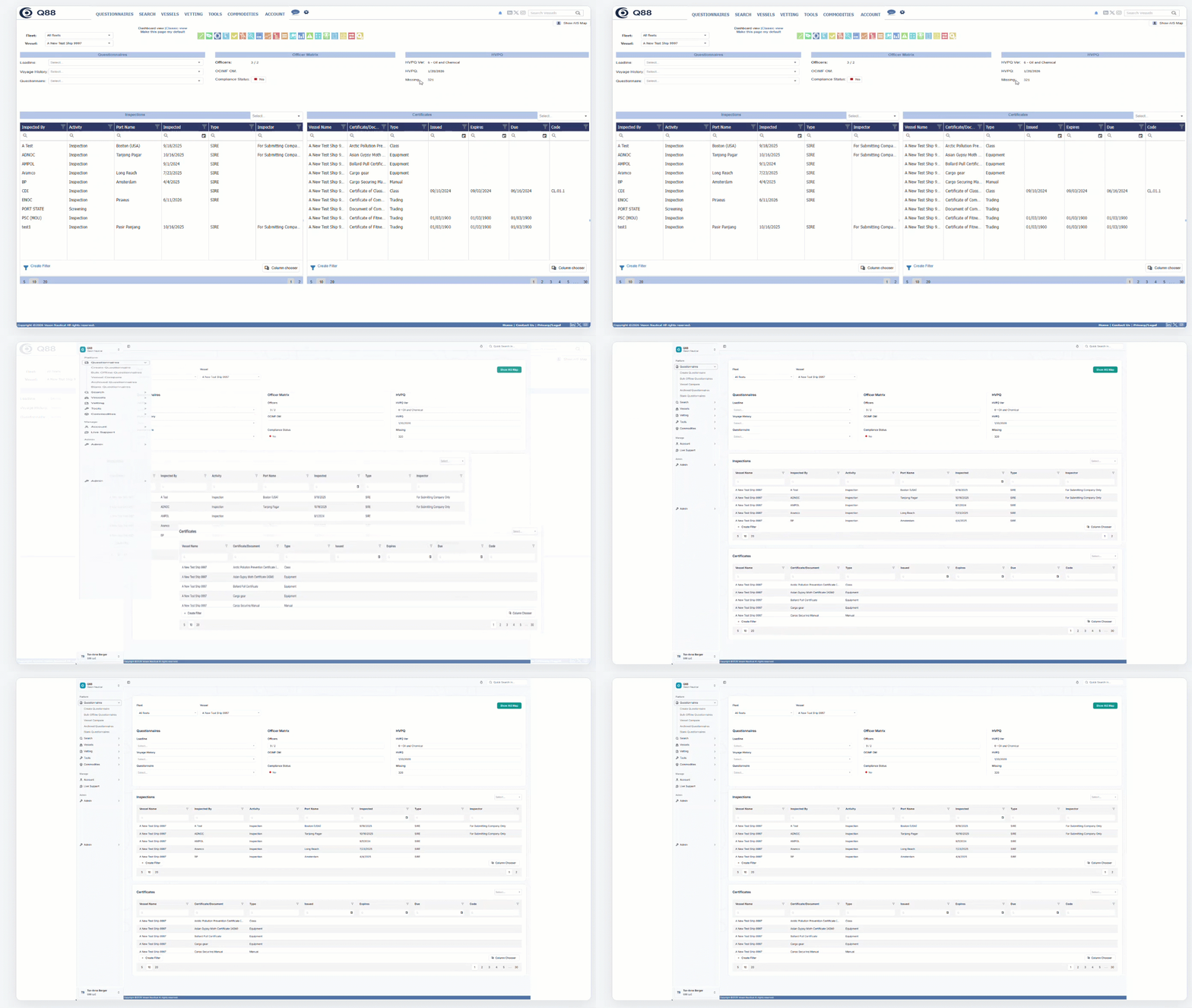
1. A clearer, always-available menu
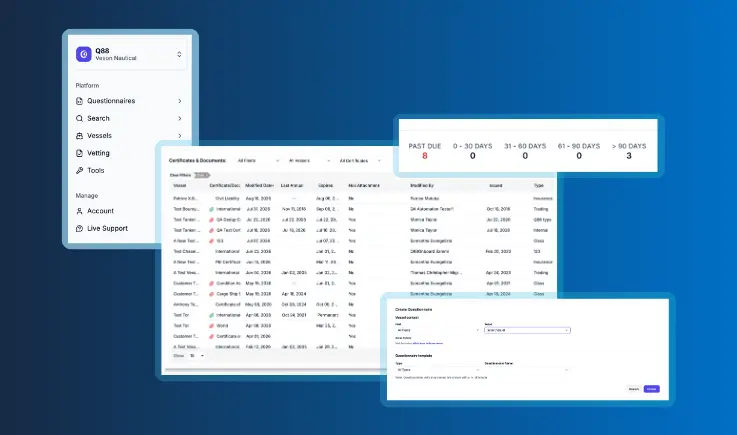
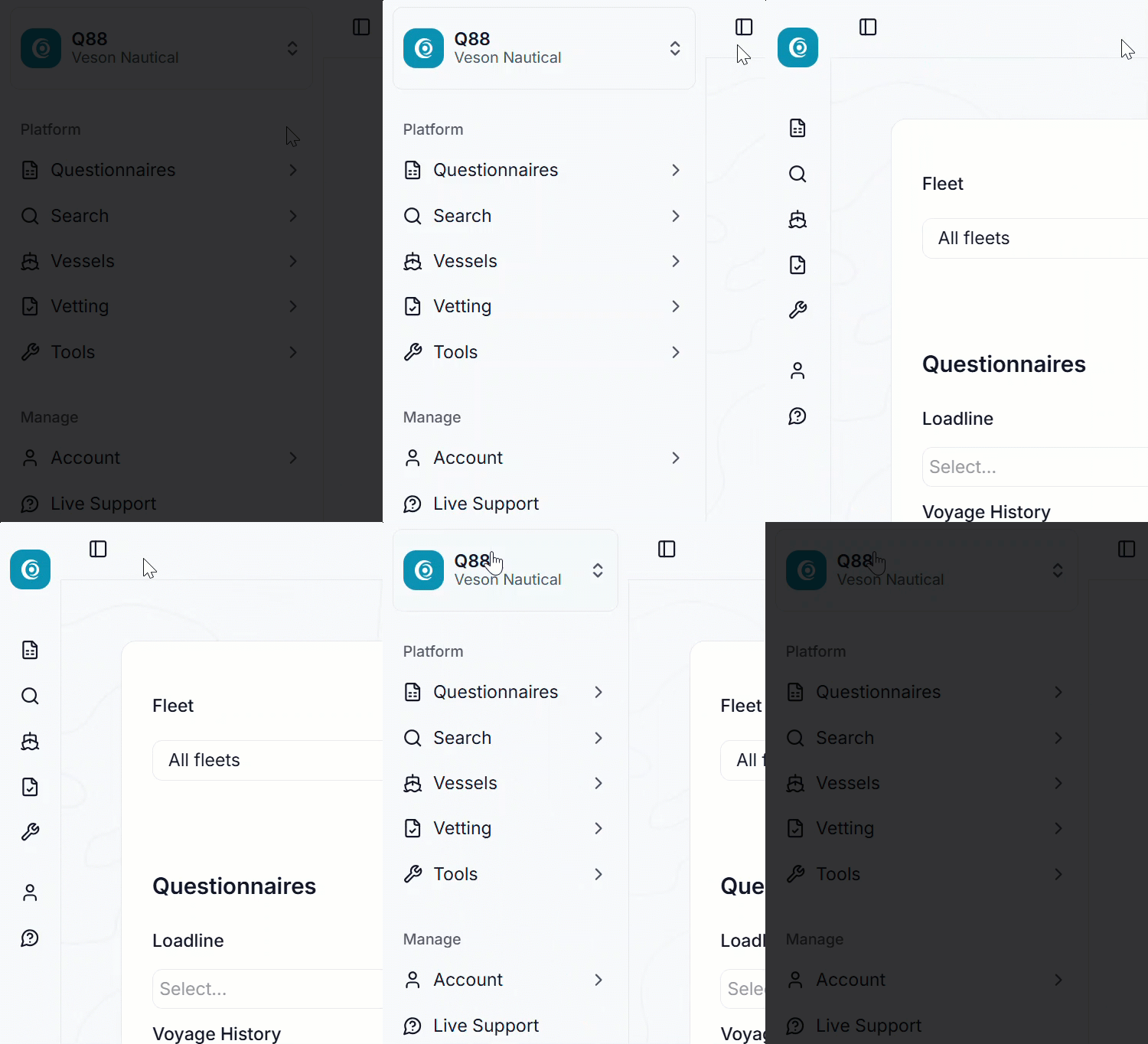
The menu now lives in an organized side panel and stays visible from any page within Q88.
The new side panel uses a simple, tree-style structure. Click a menu header to reveal its options, then click any option to open that page.
Prefer a little more screen space? Collapse or expand the panel by selecting the sidebar icon.
2. A refreshed home dashboard
Refining the dashboard we introduced a few years ago, the home page now provides a clearer, at-a-glance view of what matters most instantly upon signing in.
Inspections and certificates now appear in a stacked, over-under layout, making it easy to scan.
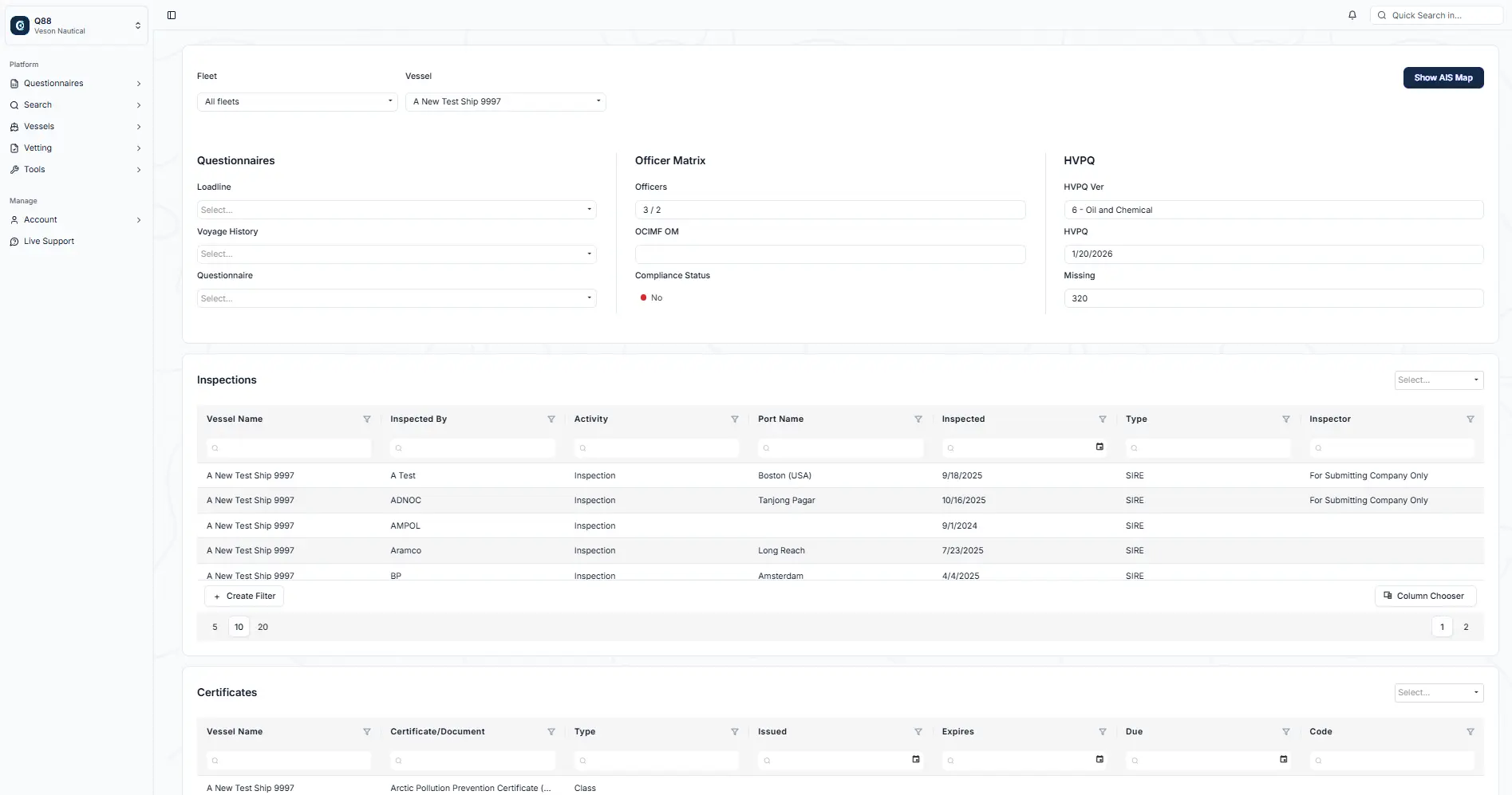
Jump straight into any area by clicking its header on the dashboard: Questionnaires, Officer Matrix, Inspections, and more.
Select a vessel from the dropdown list at the top to focus on a specific ship and double-click any certificate or inspection to open its full details on the relevant page.
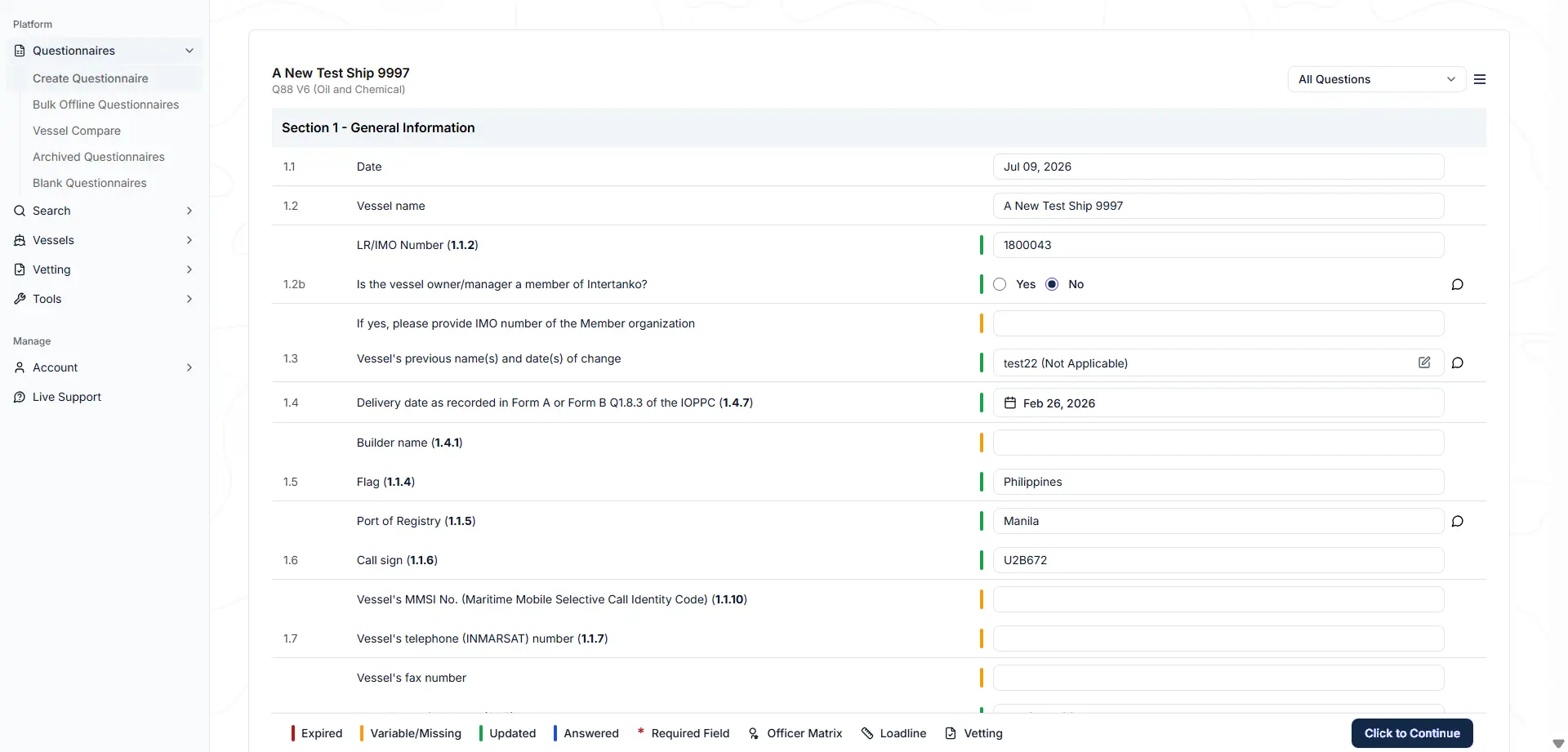
3. A new Questionnaire page
The Questionnaire page has a fresh, clean look, maintaining its original functionality. Select a vessel or questionnaire, and the questionnaire displays just as before.
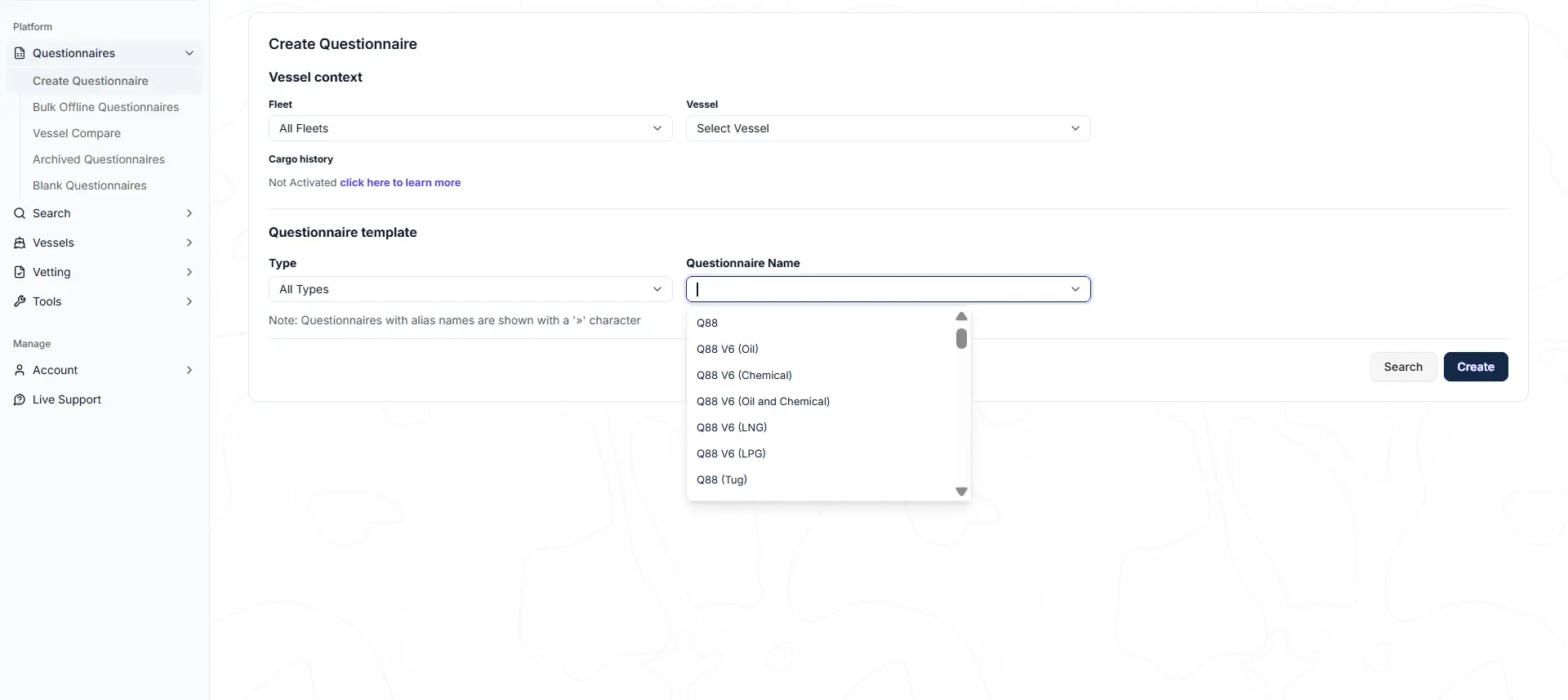
Another helpful touch: The legend and the Click to Continue button now stay fixed at the bottom of the page while scrolling through the questionnaire, so the key actions are always within reach.
4. A more flexible Certificates page
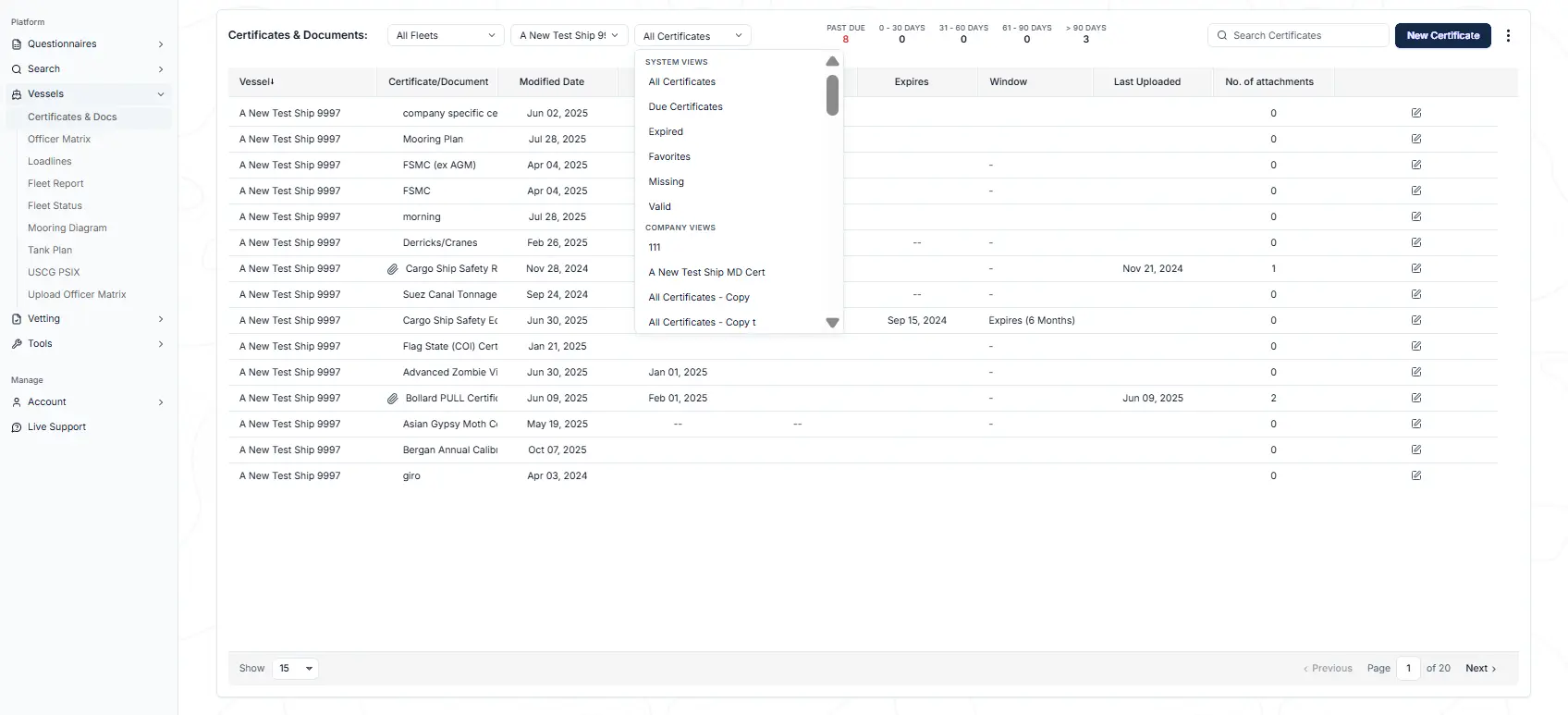
The Certificates page keeps all of its familiar functionality, now with a refreshed, easier-to-read design.
The Views dropdown controls which columns and rows are displayed. Users can build their own custom views, shared either across the account or saved just for their personal use.
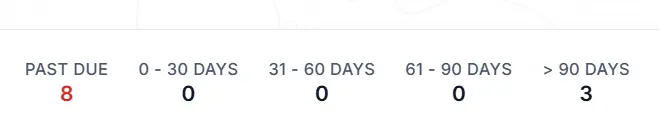
Here’s another handy feature that’s easy to overlook: The aging summary now doubles as a clickable filter, enabling users to drill straight into what’s due or overdue with a single click.
5. A streamlined Officer Matrix
OCIMF* status now integrates directly within the Officer Matrix page. To get started, click the Submit to OCIMF button in the lower right of the page.
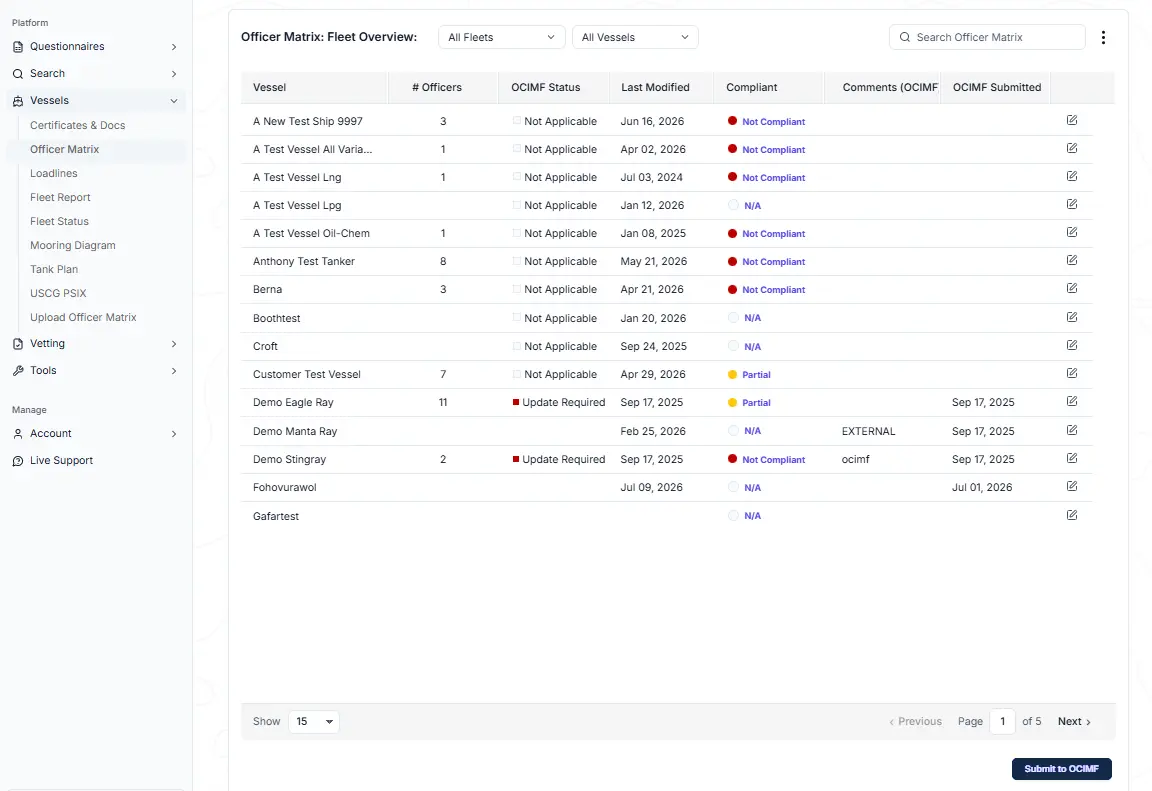
*Important Note about OCIMF credentials: When you submit to OCIMF, you’ll need your login details: your account number, user ID, and password. Your browser may autofill the password field, but that saved password is never your OCIMF password. Always type your OCIMF password in manually.
6. A clearer Inspections view
The Inspections page now offers a clear, organized view of inspection records and supporting details.
As with the rest of the product, the workflow is unchanged; the look and feel have been modernized to match the refreshed experience.
Everything our clients know and depend on is still here. Detailed help articles for every area guide clients though the new navigation tools they already know, and our in-app AI experience has absorbed the full library of Q88 help content. This means that clients can navigate the modernized Q88 experience from day one: less time hunting for help, more time getting work done.
Book a Q88 demo to learn more about these updates or reach out to your account manager.