
With CoCaptain Agentic Workflows, the Veson Platform takes on more of the work it was built to manage. These prebuilt, configurable workflows automate routine tasks across Chartering, Operations, and Claims, helping teams keep information current and spend more time on commercial decisions. Workflows can start from an IMOS event, an email, or an instruction through CoCaptain chat.
As a trusted system of record for the commercial maritime industry for the past 20+ years, IMOS has long held the information behind your decisions. Now, CoCaptain uses that context to carry out more of the work around them. What’s so exciting about this launch is that we’re effectively shifting the Veson Platform from a system of record to a system of action.
We’re introducing 11 workflows across the following areas of the business. Jump to the section that matters most to you, or read on for a full overview of each workflow:
You can see each workflow in more detail at our upcoming webinar – register now.
How CoCaptain works across the Veson Platform
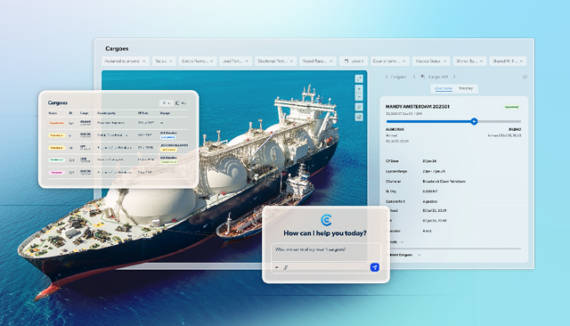
CoCaptain is the contextual AI layer embedded across the Veson Platform, with IMOS at the core. CoCaptain chat capabilities already let you ask questions about your data and update individual records in the context of your screen. Agentic workflows extend that assistance to automating connected tasks across multiple records.
The context is already built in: IMOS data, the relationships between records, and maritime workflow knowledge. Your team can use these workflows without training models, assembling data pipelines or building its own AI layer. CoCaptain connects document interpretation to the relevant IMOS records and the next operational step, within the platform where you already manage your business.
Once a workflow is triggered, CoCaptain reads the information, extracts what matters, and presents the result in the Veson Platform. Updates require human review or are approved under configured rules.
Working with agentic workflows
Each workflow follows a defined path for a specific task and runs within the user’s existing IMOS permissions. Your team controls which updates need approval and which can be applied automatically under configured rules. Source references and a record of workflow activity let you see how a result was reached, while administrators can review run history and see which workflows are enabled.
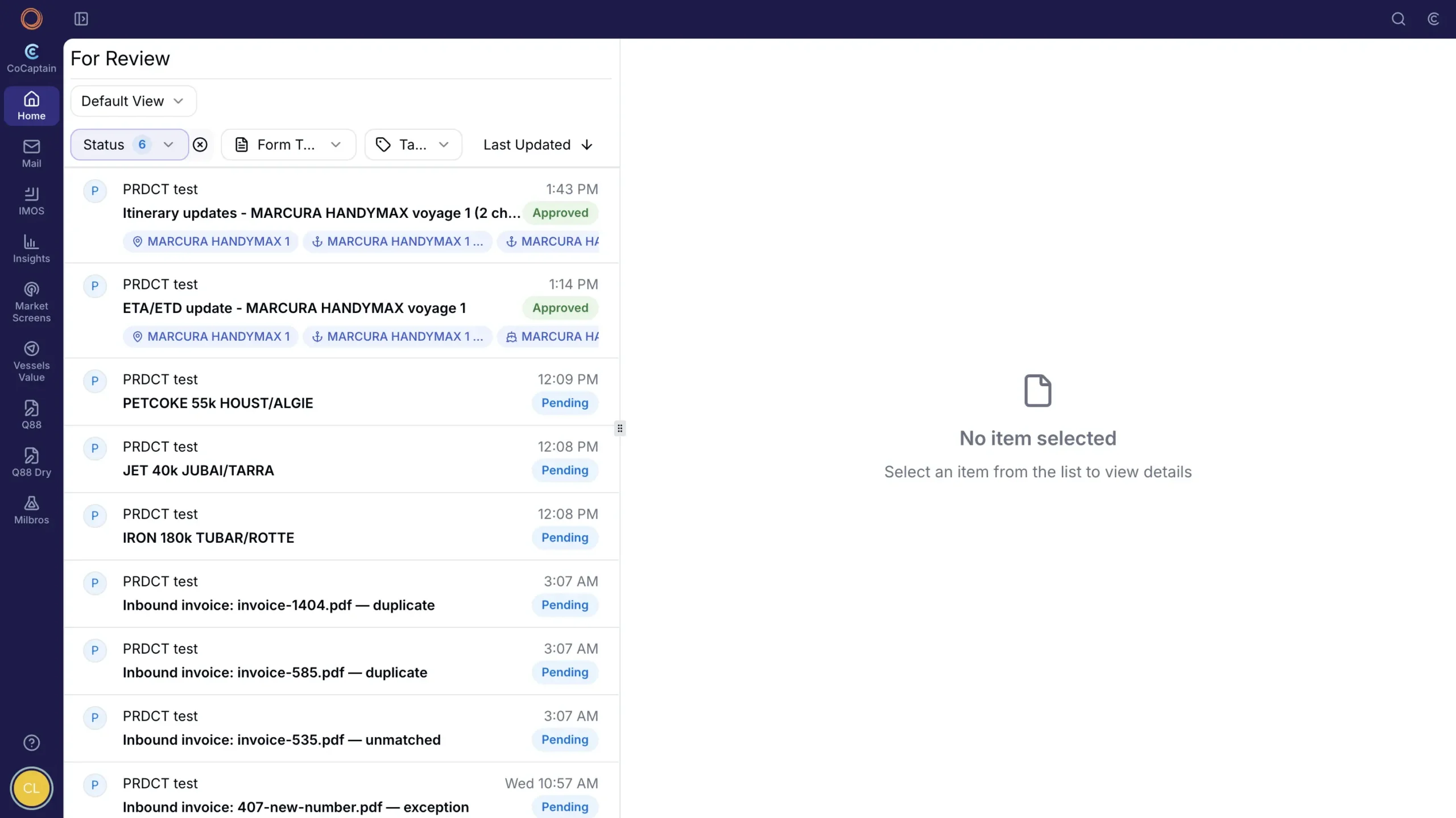
The new Home screen shows workflow activity and items ready for review. Some results appear directly within the relevant record.
Chartering
Charterers can spend less time preparing information from the inbox and more time evaluating opportunities and negotiating fixtures. Three workflows support the process from an incoming opportunity through to the agreed fixture.
Opportunity Triage
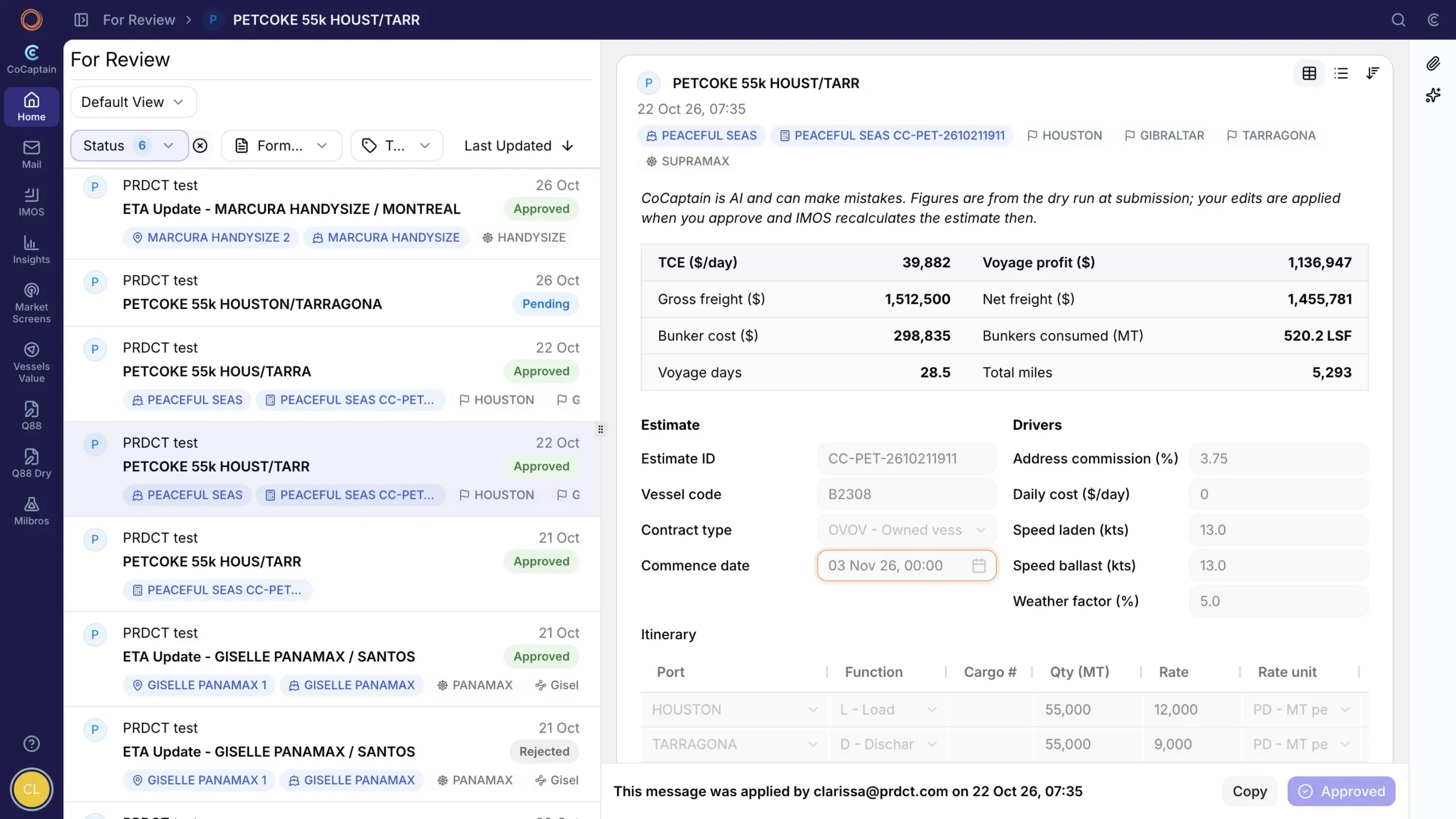
CoCaptain reads incoming broker emails, ranks the opportunities, and links each one to its source. For a selected opportunity, it matches cargo, ports, and vessel details to IMOS records and pre-fills a review form. The charterer checks it against the email and approves, and the estimate is created in IMOS.
Estimate Enrichment
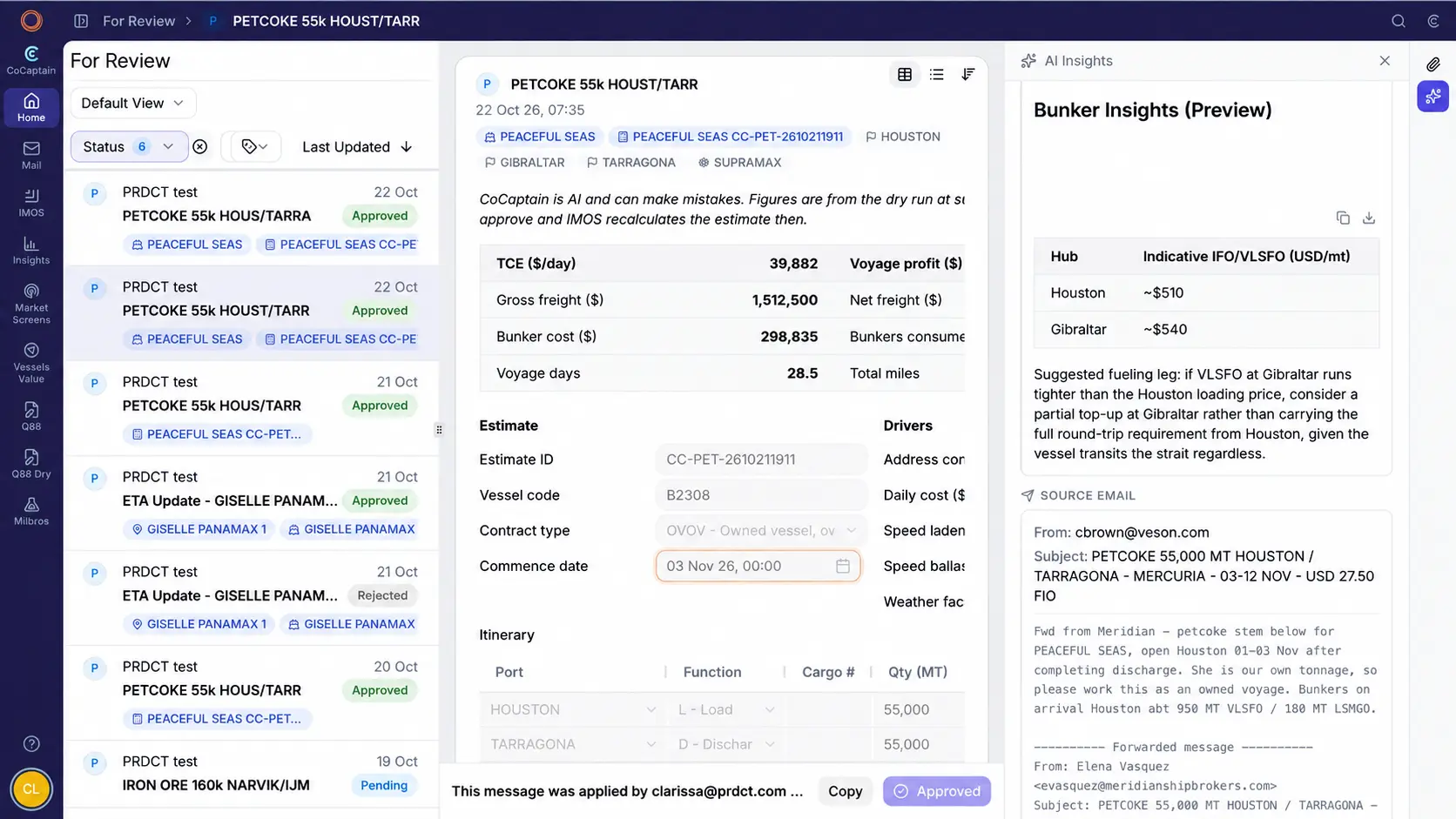
CoCaptain compares candidate vessels on one TCE basis using live bunker prices and applies the chosen result to the estimate once the charterer approves.
Recap to Cargo
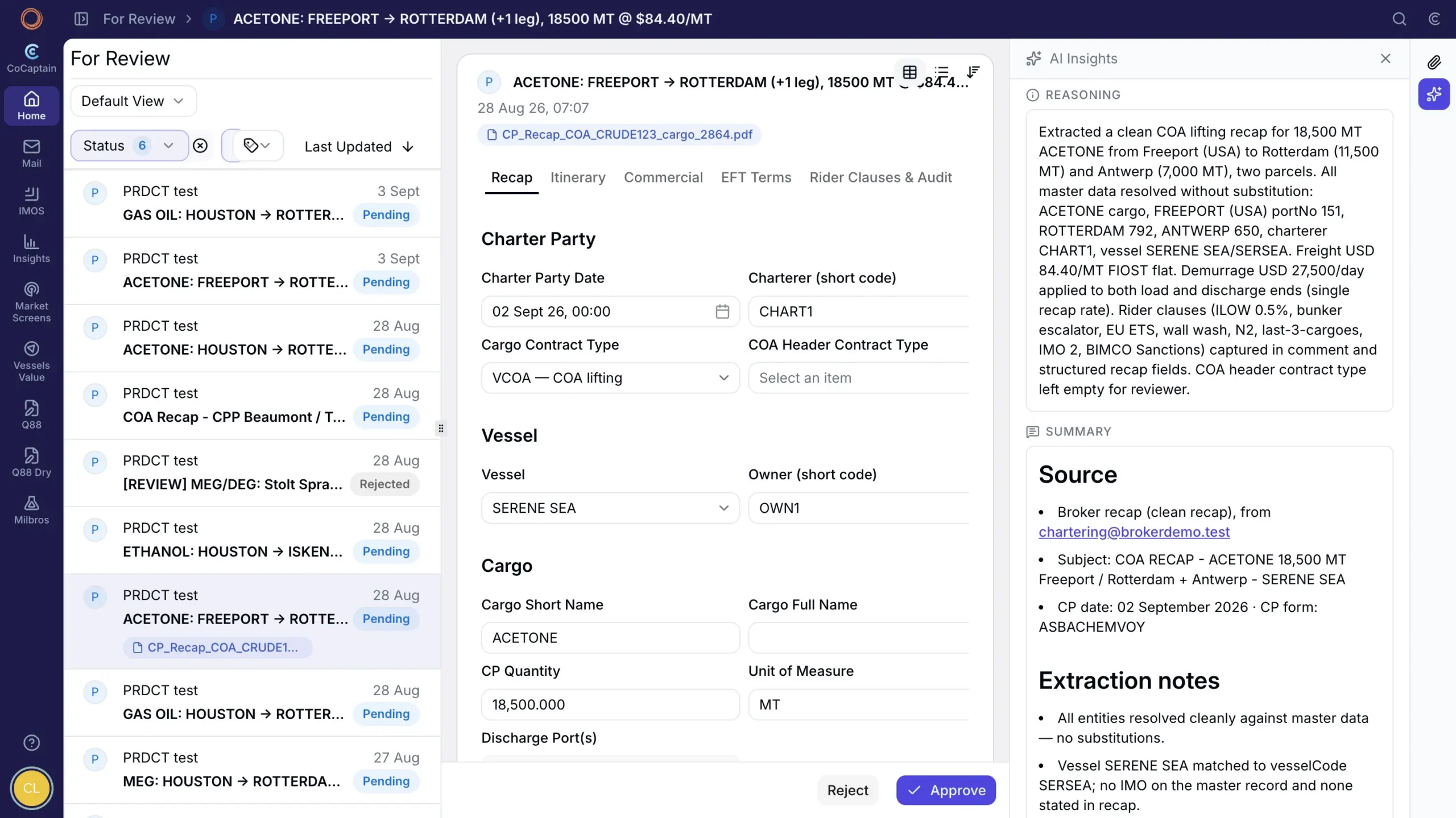
When a fixture recap arrives, CoCaptain matches ports, cargo, and counterparties to IMOS records. After approval, it creates the cargo or updates an existing contract, with a link back to the recap. Operations receives a record built from the agreed fixture details.
Operations
For operators, keeping the voyage P&L current means seeing the effect of a change sooner. These four workflows help with the routine updates, leaving more time to manage exceptions and optimize voyage performance.
Itinerary Updates
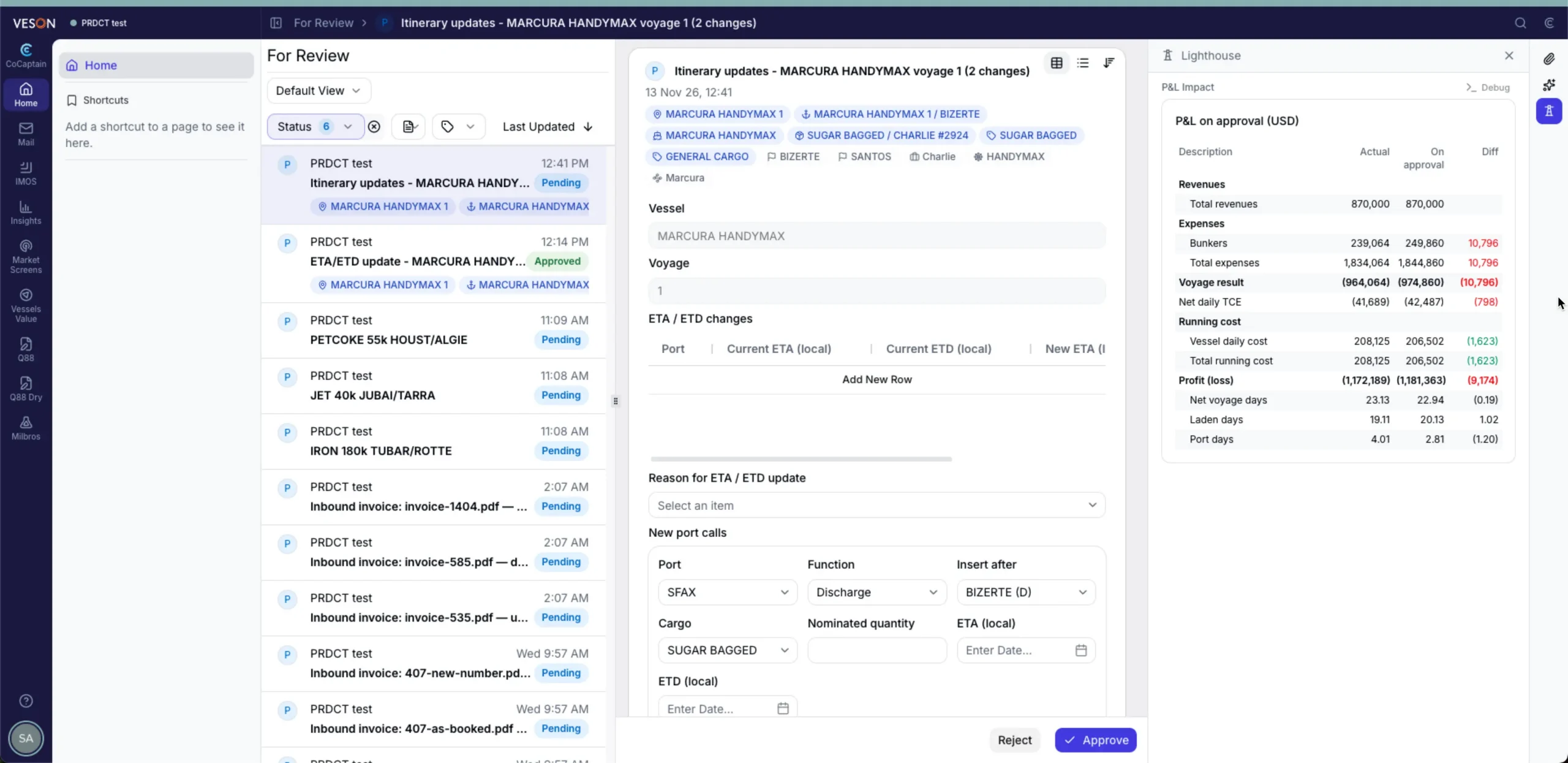
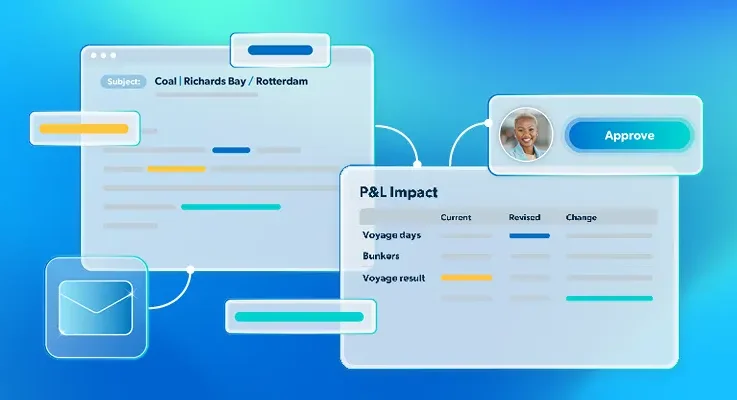
When voyage orders arrive by email, CoCaptain identifies the voyage and prepares the new port rotation. It checks for blockers, such as a port already sailed or an existing port expense, and explains anything preventing the change. You can then review the P&L impact and approve the itinerary update in IMOS.
ETA/ETD Updates
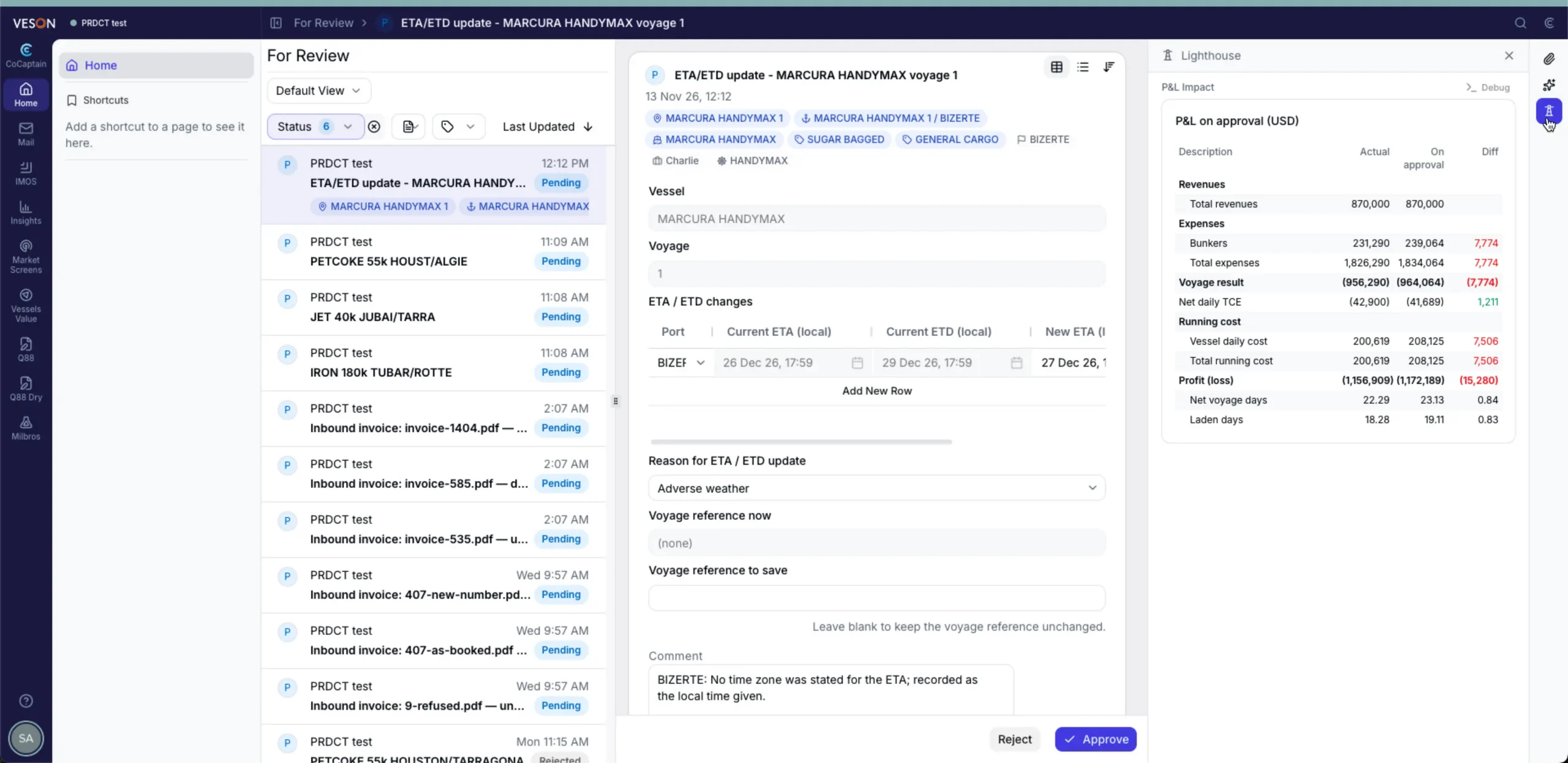
CoCaptain matches a master’s emailed ETA or ETD revision to the voyage and port call, with the P&L impact visible. Routine changes can be applied under rules configured for the workflow. Anything else waits for one-click review. Your team chooses the approach that fits how closely you manage each voyage.
Agent Nomination
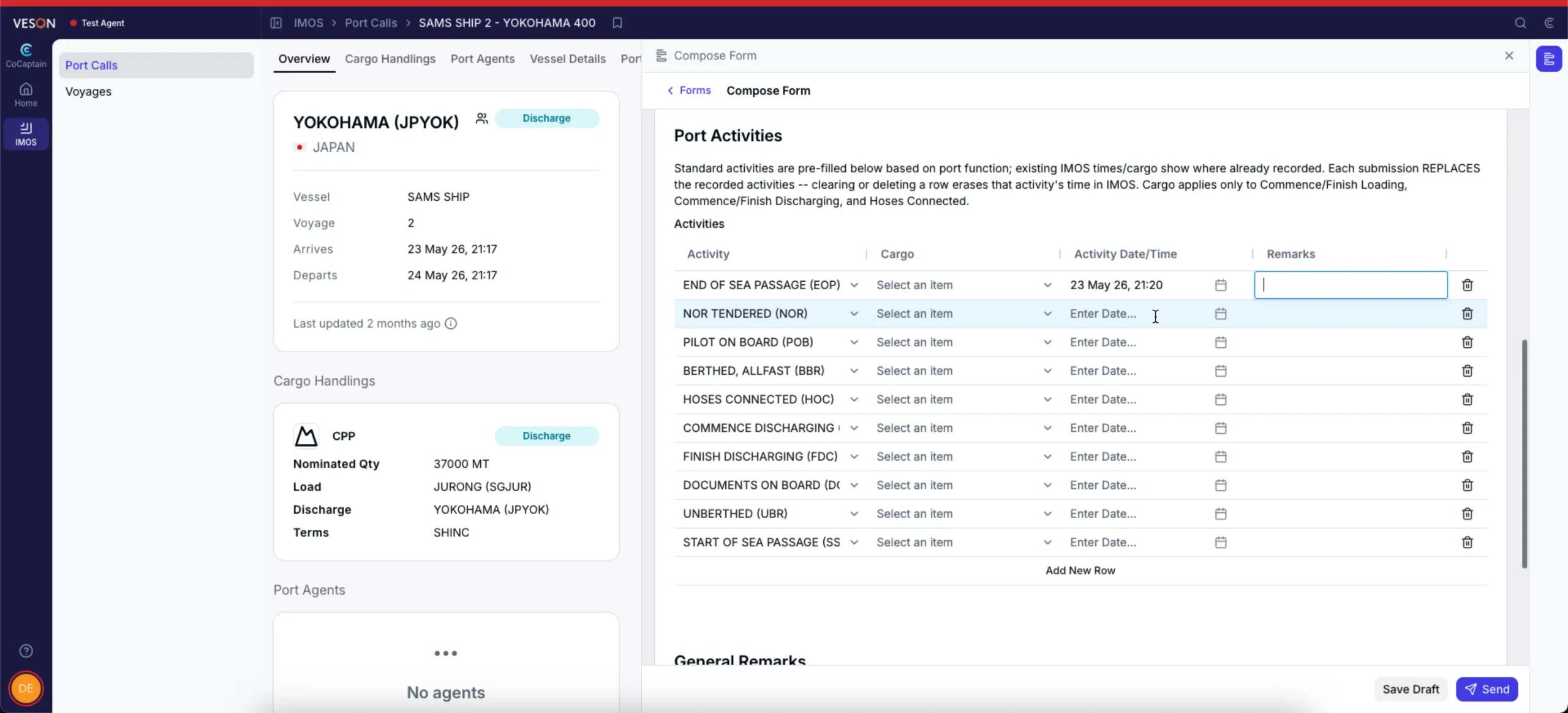
You can nominate an agent by sending the usual email and copying the Veson mailbox. CoCaptain shares the port call with the nominated agent, who submits the forms they are permitted to complete, such as statement of facts and PDA/FDA forms directly in the platform. Submissions follow the configured review or approval process, connecting the agent’s information with your voyage records.
Invoice Sharing
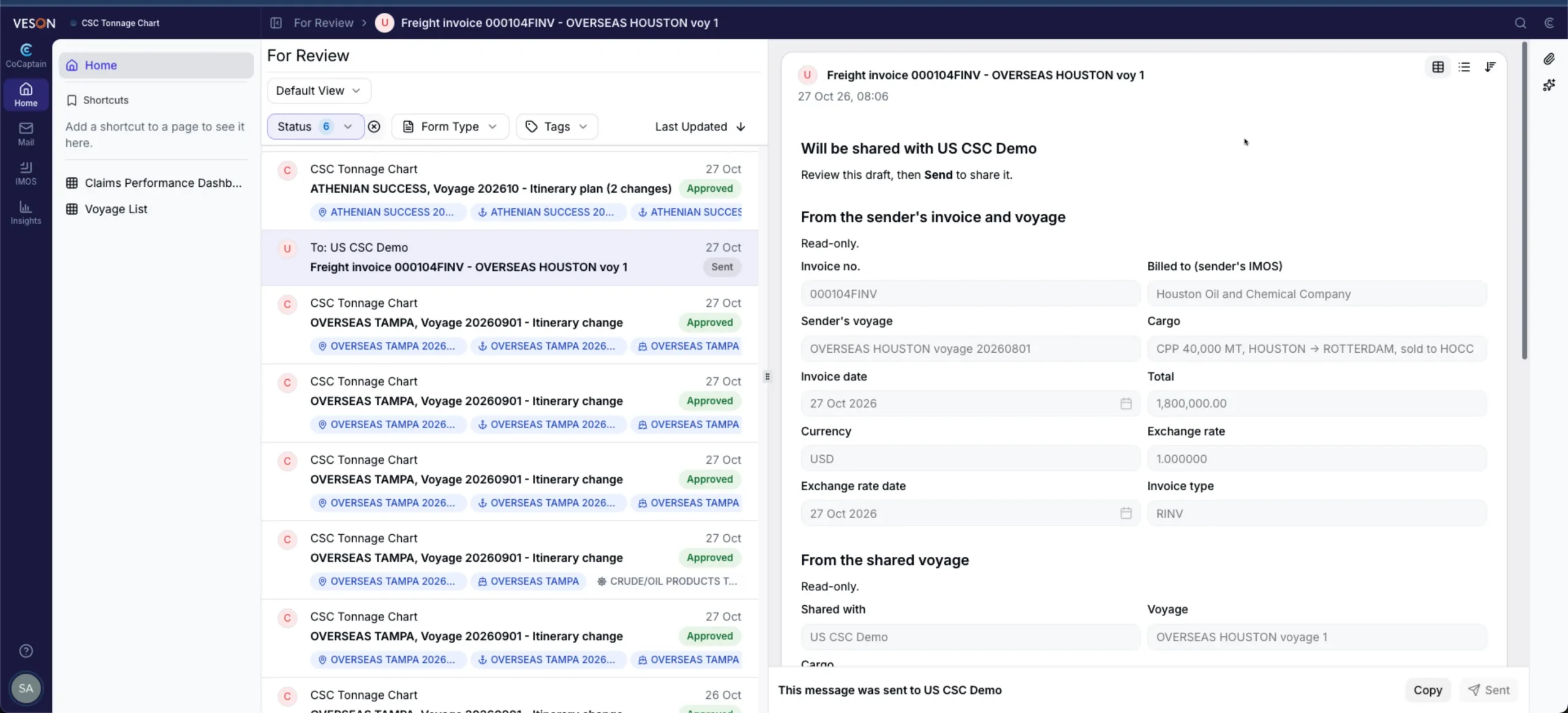
Once a freight invoice posts in IMOS, CoCaptain checks whether invoice sharing is enabled for that counterparty and uses the matching shared voyage data to prepare a draft invoice form. You review it before it goes out, helping both sides work from the same numbers.
Claims: Reduce risk, improve outcomes
For Claims teams, the workflows build on CoCaptain’s existing capabilities, including automatically creating a suggested demurrage claim. They bring documents and voyage information together, giving analysts more time to focus on claims outcomes.
SOF Processing
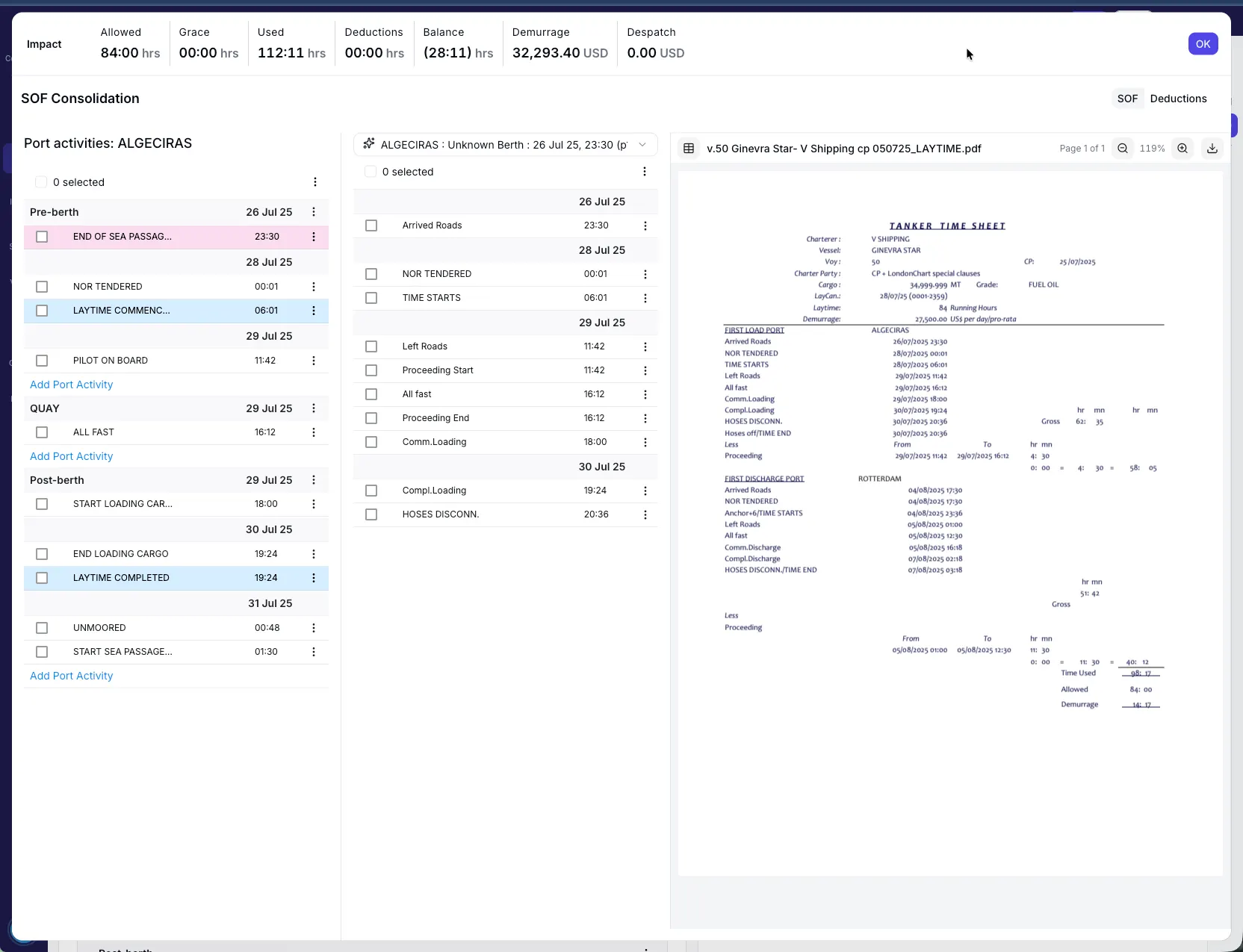
CoCaptain matches incoming statements of facts (SOFs) to the relevant claim and extracts activities for the laytime timeline, reducing manual document handling and re-entry.
Charter Party and CP Recap Processing
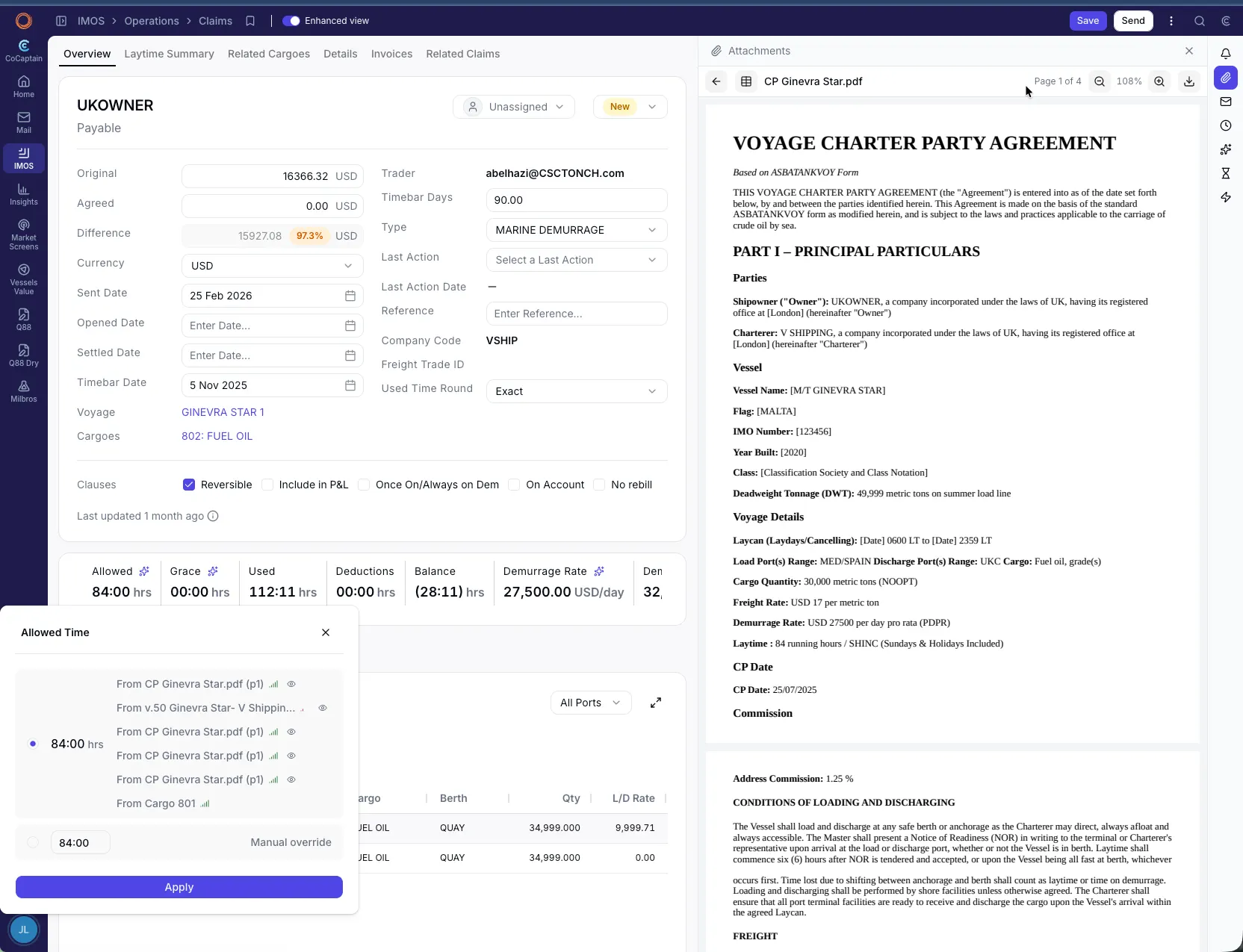
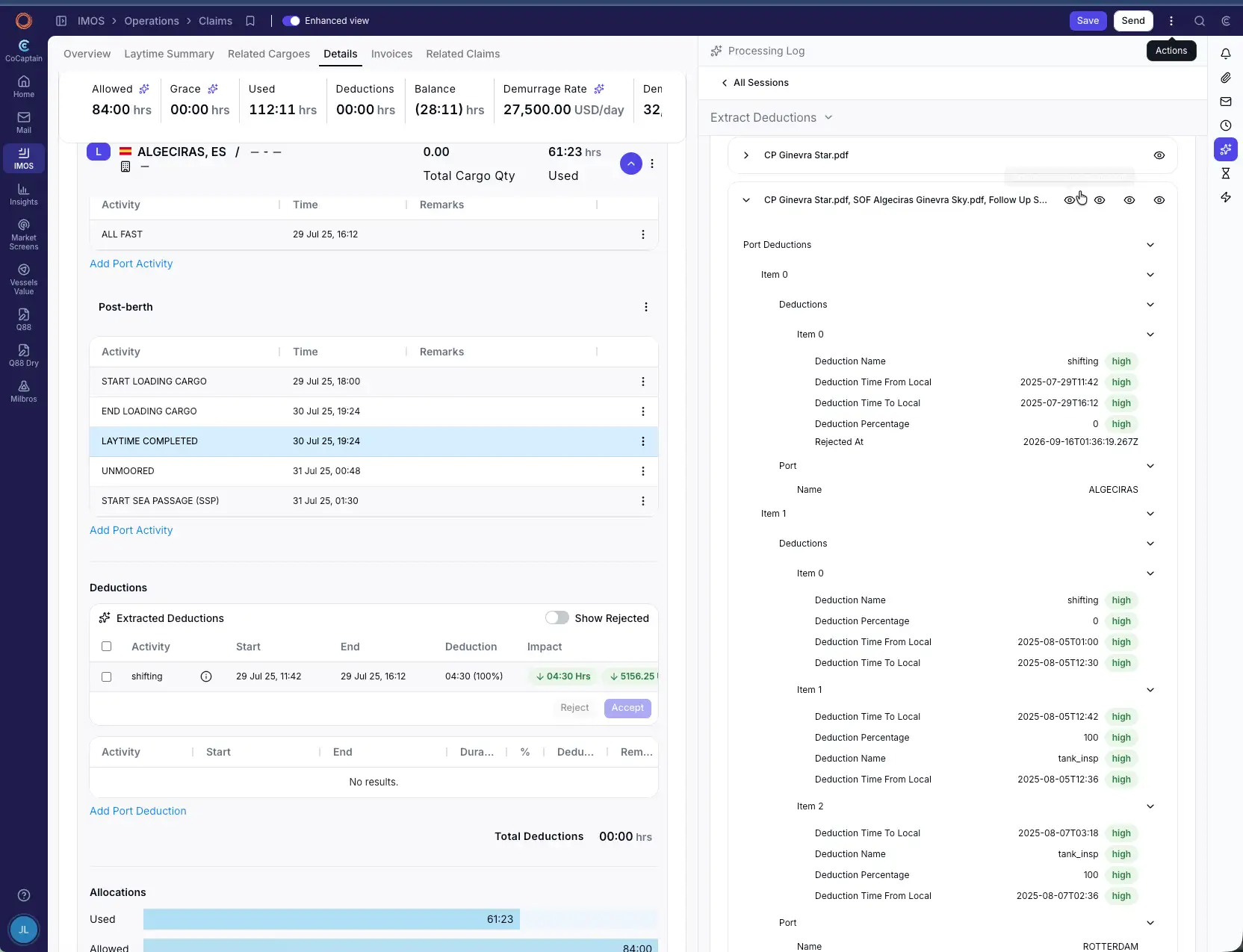
CoCaptain extracts terms from charter parties and recaps and surfaces potential deductions based on those clauses for analyst review.
AP Claim Invoice
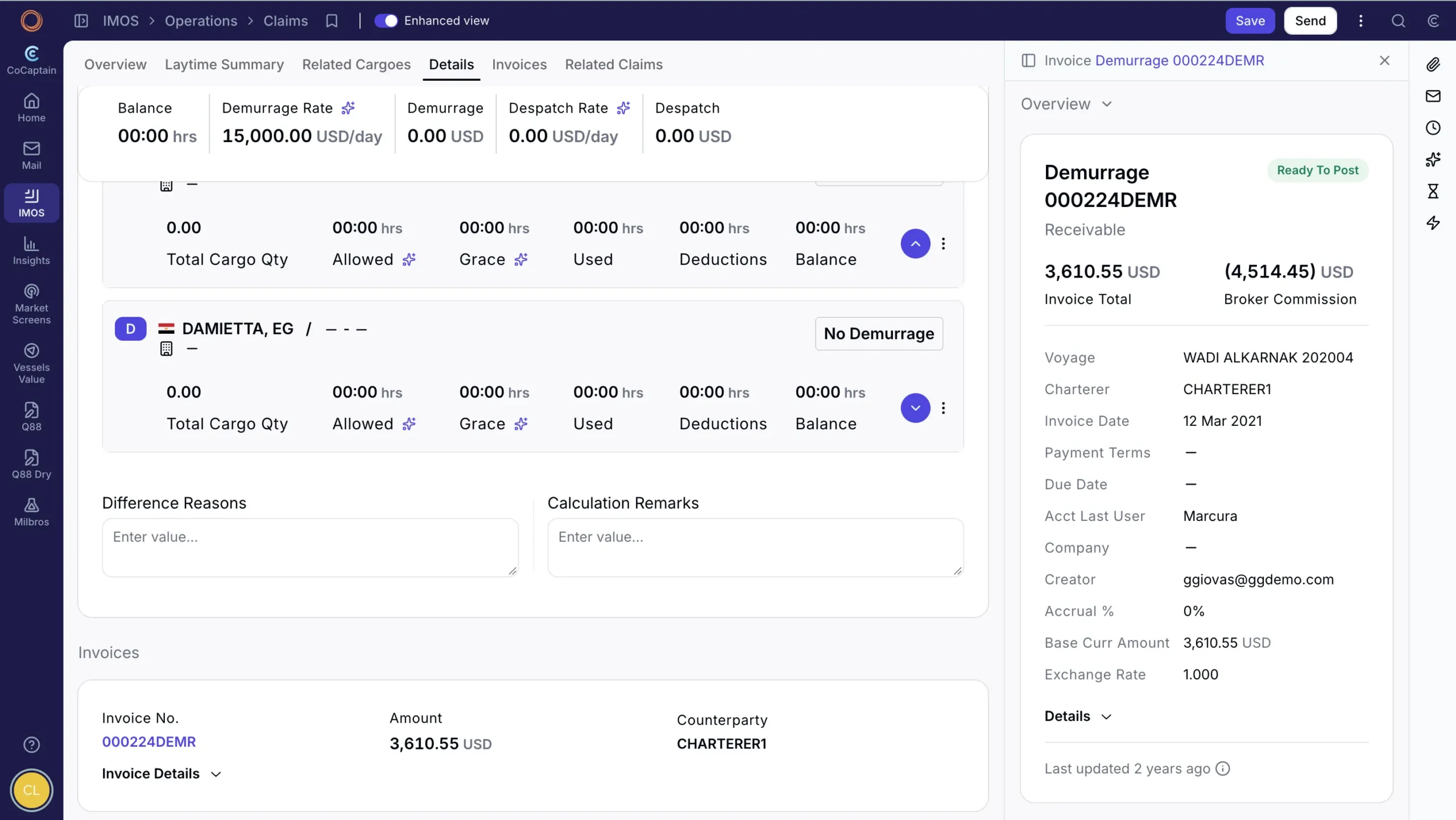
CoCaptain matches a counterparty invoice to the accounts payable (AP) claim and its current calculation, flagging differences for the analyst to assess.
Ancillary Documents
Notices of readiness, letters of protest, and bills of lading are matched and filed to the relevant claim, with key information available for validation.
Results appear in the enhanced claims view in the Veson Platform, where analysts review the information and decide what to apply to IMOS.
Key Takeaways
- CoCaptain Agentic Workflows are prebuilt, configurable, and start from an email, an IMOS event, or a chat instruction.
- Updates follow the approval process or configured rules for each workflow.
- Chartering, Operations, and Claims each have workflows built around daily tasks, and teams can start with the ones that matter most.
See how it fits your desk
You can start with the workflows that address your team’s biggest needs and configure them to suit your processes. We’ll continue releasing workflows and working closely with clients to expand these capabilities.
I also hope you’ll join our webinar on December 2 to learn more about CoCaptain workflows in action. If you’re ready to get started, reach out to our team today.