
88% of organizations use AI in at least one part of their business, yet 89% of executives surveyed say it has not yet had any measurable effect on their productivity. In a time of rapid change, it’s the foundation that AI is built on that determines the value it delivers, and the decisions teams make now will have a significant impact on the future of the business. The Veson Platform gives maritime teams that foundation: the workflows they run every day in one connected experience, with trusted data and AI built directly into the work.
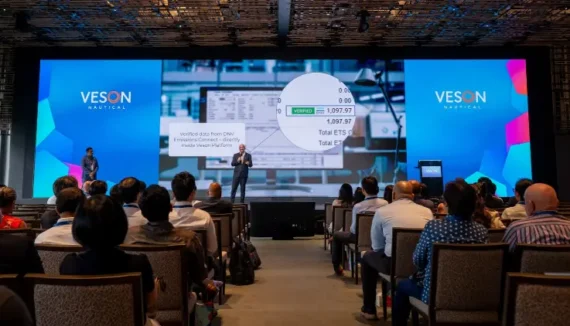
In our recent webinar, Chief Product Officer Christine Sullivan and I walked through how the platform works. In this post, I’ll take you on a quick tour of the key elements of the Veson Platform, featuring some clips from our live session.
Go here to get access to the full walk through — you can watch it on demand and skip to the parts most relevant to you.
Key Takeaways
- The Veson Platform brings workflows, data, collaboration, and contextual AI together into a connected experience with IMOS at the core.
- CoCaptain is the platform’s built-in AI, which answers questions and takes action within the context of your workflows.
- Veson Mail connects maritime email with the voyages and contracts it relates to.
- Insights brings validated vessel data and independent bunker pricing into the workflow.
IMOS: the workflow foundation
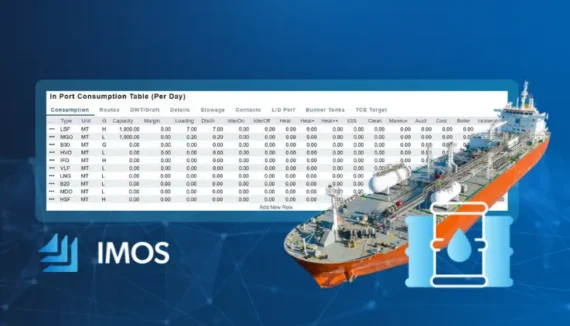
At the center of the platform is IMOS, Veson’s freight contract and voyage management system. It’s where commercial teams manage the work itself, from pre-fixture through voyage close. In the Veson Platform, it comes with saved views and filtering that make it quicker to get to the cargoes, voyages, and claims you care about. Everything lives in one place, so your teams can operate on a single source of truth and maintain a clear view into performance as changes occur.
In the clip below, we focused in on the voyage workspace, showing how you can easily and quickly review voyages, understand where results are moving, and then click into the supporting line-item detail when you need it.
CoCaptain: contextual AI that knows your business
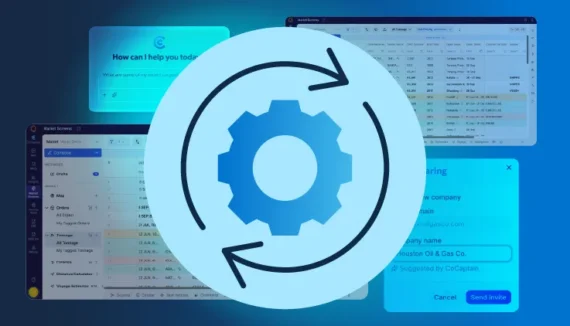
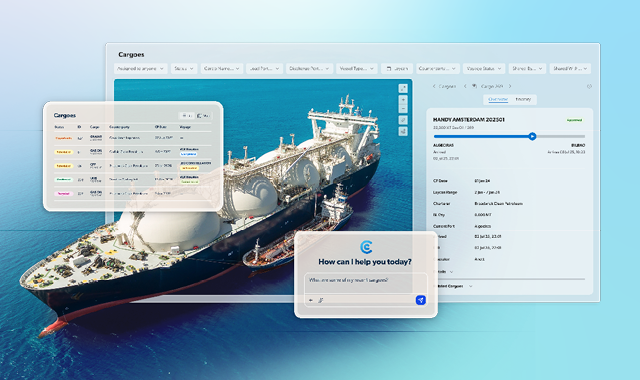
CoCaptain is the built-for-maritime AI that works across the platform, privy to the context of whatever record is open as well as your broader operational data and important controls like permissions and approvals. Ask about a voyage’s P&L, open positions, or invoice status and the answer will be grounded in your data, cutting out the “hunt and gather” work that slows teams down. You can also make updates, such as editing a fixture or approving an invoice, without navigating through multiple screens. If you’re not sure how to do something, simply ask and CoCaptain will walk you through it — pulling from Veson’s vast knowledge base.
In the clip below, I asked CoCaptain operational questions like how many voyages met a specific status (for example, commenced voyages), then followed up to pull the details most important for a handoff or a morning check-in. CoCaptain returned structured results in a format you can take action on.
In another example, we looked at how you can pressure-test the financial impact of a change — like an increase in port costs — without leaving the voyage you’re managing. Instead of taking notes, switching screens, and rebuilding the scenario by hand, you can assess impact quickly and decide what to do next.
Mail: email that’s connected to voyages and counterparties
Mail is part of Connect, Veson’s communication and collaboration layer, and it brings AI-powered email into the platform. Negotiations, port updates, operational exceptions, and document exchanges that happen over email can now connect in with the associated voyage or contract in IMOS, so communication doesn’t stay trapped in inboxes. Built on Shipfix, Veson Mail is now a native part of the Veson Platform.
Below you’ll see me step through how messages can be associated with the relevant voyage and surfaced where you’re already working. This makes it easier to reconstruct what happened, onboard someone new, or simply respond with the right context in front of you.
Insights: validated data in the workflow
The platform also includes Insights, data analytics capabilities designed for day-to-day commercial work. The point isn’t “more dashboards,” it’s creating one source of truth for vessels and establishing a reliable benchmark with no position in the trade. It provides better input data into the decisions teams already make, like selecting a vessel, building an estimate, sanity-checking assumptions, and tracking market movement.
There are two aspects of Insights: Vessel Insights and Bunker Insights. Vessel Insights unifies data from multiple sources into one validated record per vessel, across 65,000+ vessels and refreshed daily. Bunker Insights is an independent bunker price benchmark covering 1,300+ ports and HFO, LFO, and MDO, which you can use to validate quotes and price voyages.
As an example, let’s look at bunkers. Bunker costs are of course a major driver in voyage economics, so teams need a reliable way to monitor pricing and trends across ports. In the walkthrough, we looked at how bunker intelligence can be viewed and used to support estimating and planning decisions with clearer visibility into pricing and movement.
Bringing it together: one connected experience across teams
The simplest way to summarize the Veson Platform is this: it’s an AI-powered foundation for maritime trade that helps teams run voyages and manage commercial outcomes with greater continuity and efficiency than ever before.
IMOS provides the operational backbone, CoCaptain AI helps you move faster with contextual answers when and where you need them, Mail ties communication to the work itself, and Insights strengthens the inputs behind everyday decisions.
These capabilities sit alongside Q88, Shipfix, and VesselsValue, and each product added gives CoCaptain more context to work with. For the latest, see what’s new in the Veson Platform. The platform is built to expand, so your team can adopt capabilities at your own pace.
To see what this looks like for your specific workflows and fleet, request a demo, or watch the full webinar recording.