
Earlier this year, Veson Nautical launched the Veson Platform to unify workflows, data, and collaboration with contextual AI into one integrated workspace. This advancement enabled teams to gain instant access to voyage data, historical port calls, and counterparty insights directly within the workflow without having to move between systems.
We’ve expanded the Veson Platform to include Q88, Shipfix, and VesselsValue alongside the platform’s core capabilities, allowing teams to leverage CoCaptain across the products they know and trust, at no additional cost.
For teams with multiple products, this means you can search, compare, and vet vessels right where you already plan voyages and manage fixtures. And as each product is added to the platform, CoCaptain gains more context to deliver accurate answers and help you achieve better outcomes.
Here’s what you’ll see in the Veson Platform:
IMOS: Freight contract and voyage management from pre-fixture to voyage close
This quarter’s IMOS updates take manual steps out of everyday work, from emissions compliance and bunker records to invoicing and trading exposure:
Emissions compliance
IMOS now supports UK ETS alongside EU ETS and FuelEU, with costs flowing into both the Voyage Estimate P&L and Voyage P&L. This update gives you a complete view of the impact from the estimate stage through the course of the voyage.
Read more about how to manage UK ETS exposure in IMOS.
Expanded fuel types
As regulations continue to reshape fuel choices with vessels moving between fuel types, you need current and historical bunker data on each one to stay compliant.
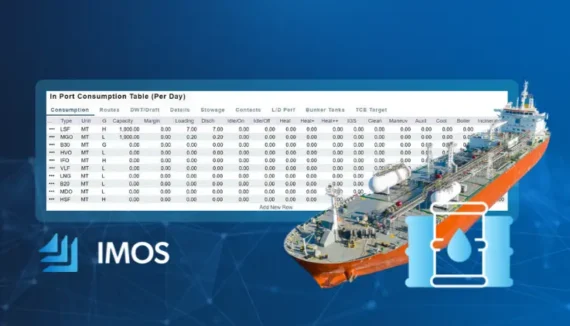
IMOS now supports up to 10 fuel types per vessel, up from six, so you can keep your record up to date as your fleet’s fuel mix changes.
Read more about how this fuel expansion works in IMOS.
Invoicing & FX
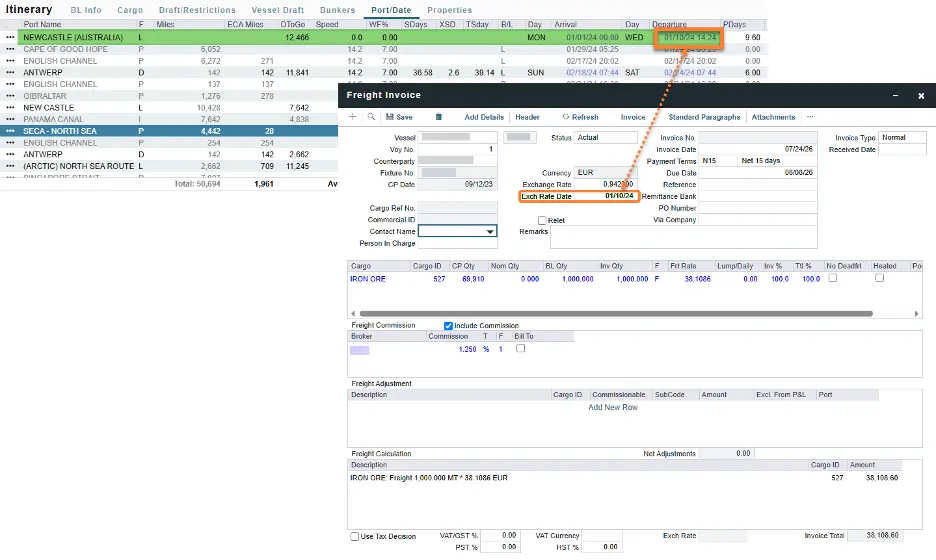
Picking the right exchange rate date is where manual FX corrections happen. We’ve closed those gaps and added a new way to invoice time charters:
- A new Rolling Index rate type supports provisional hire invoices with a final adjustment once pricing is realized.
- New FX date rules set exchange rate dates automatically, reducing manual corrections.
Trading and exposure
Trading teams can now override the mark-to-market month for bunker exposure, set cargo exposure days at the contract level, and fill gaps in daily settlement data to keep realized position valuation accurate.
Several IMOS features require a configuration flag or a minimum schema version.
Q88: An up-to-date record for tanker information
Technical and operations teams both rely on current, shared vessel particulars. Q88 brings validated vessel information and vetting data into the Veson Platform, so you can search, compare, and vet vessels in the same place you already plan voyages and manage fixtures.
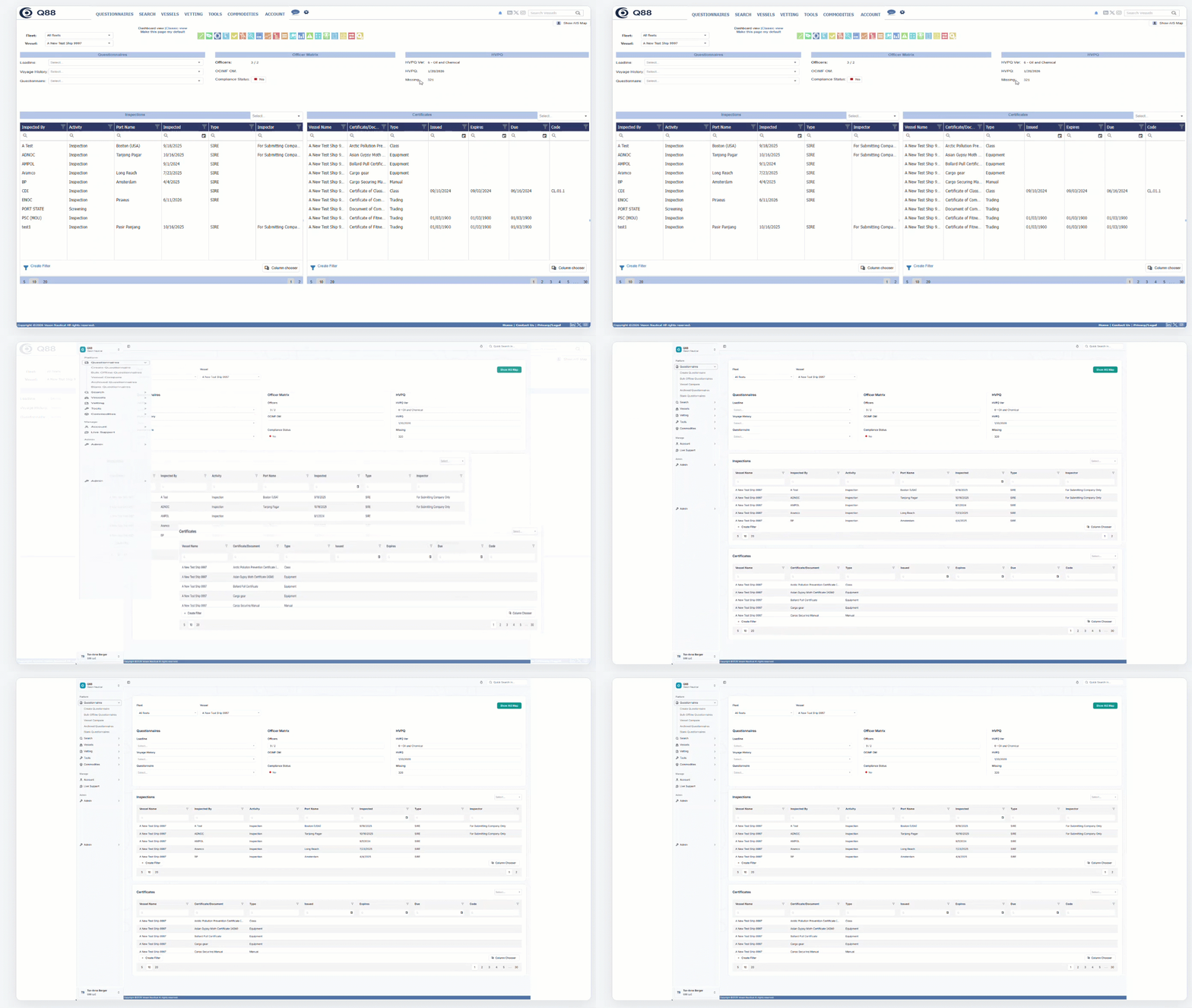
We recently modernized the Q88 interface to make questionnaires, certificates, the Officer Matrix, and other key vessel information easier to navigate and maintain.
This refreshed experience carries into the Veson Platform, keeping information consistent and up-to-date across modules.
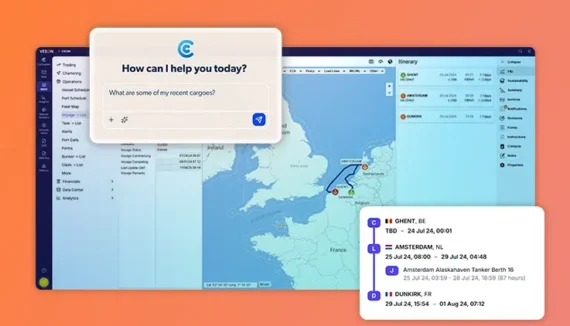
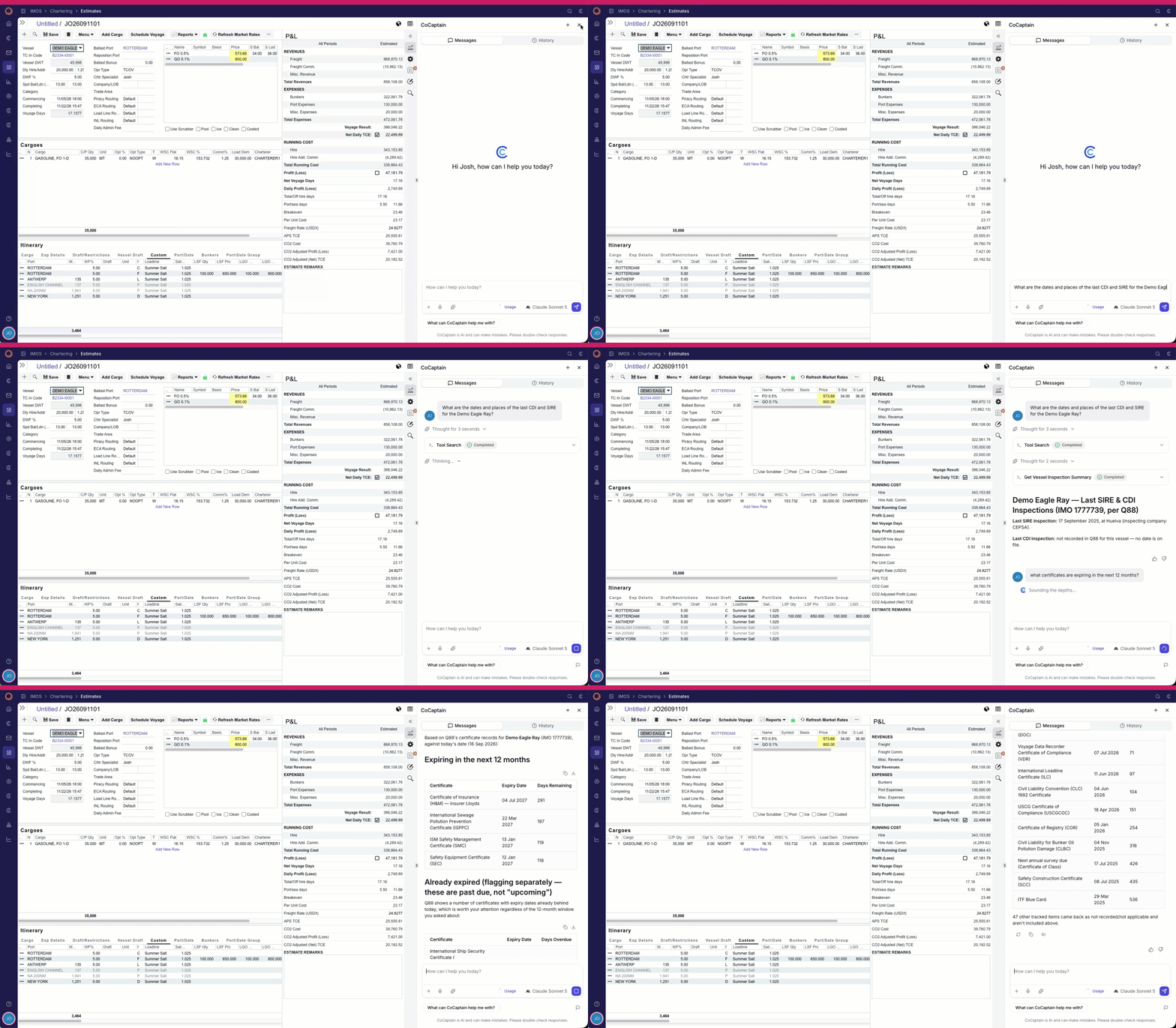
New in the Veson Platform is vessel lookup with CoCaptain, which surfaces the data you need without having to click through screens.
Mail: Built for the way maritime teams communicate
Voyage instructions, documents, and counterparty updates move constantly, and the details that matter often end up buried in an inbox.
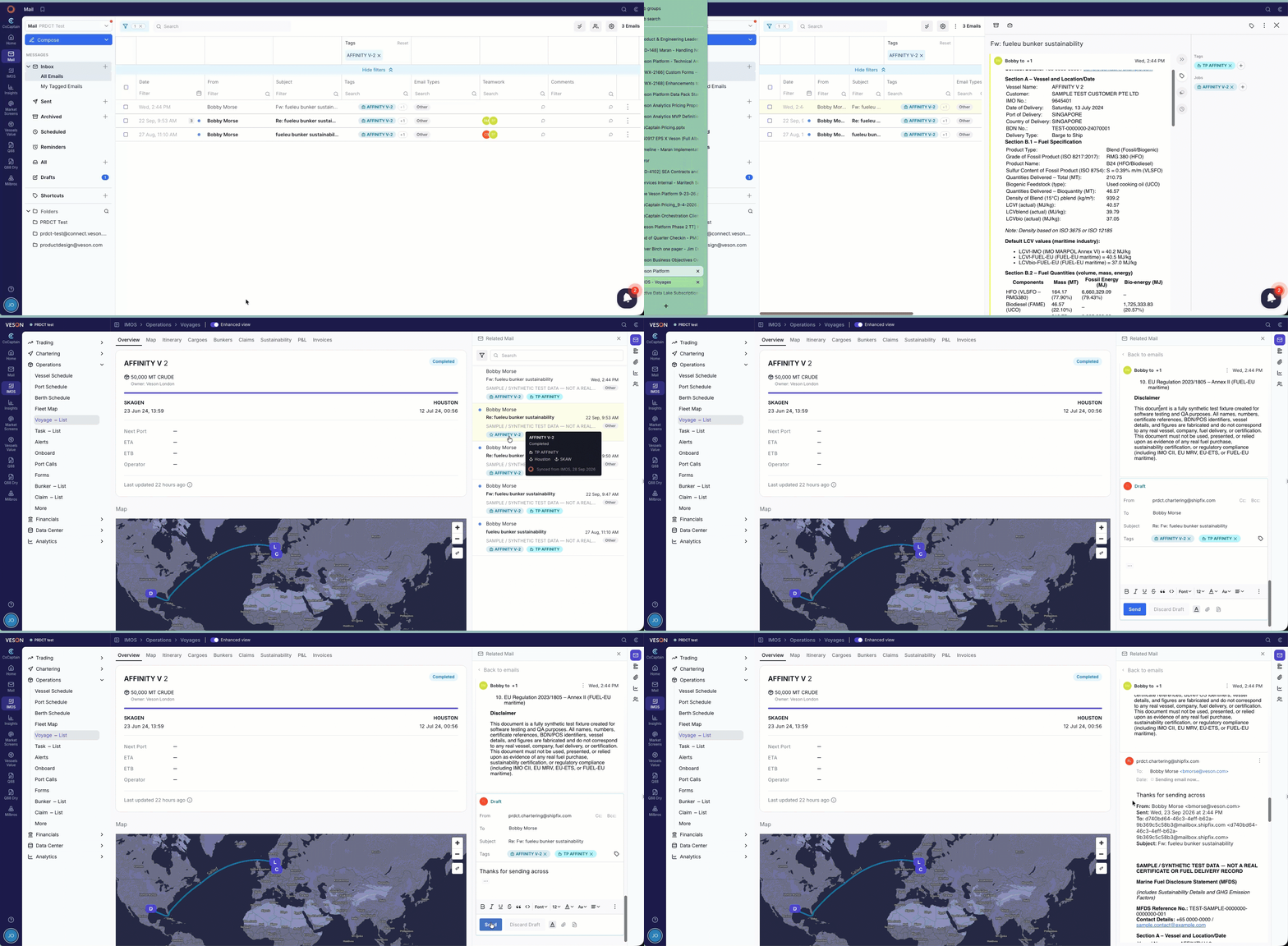
Mail, built directly within the Veson Platform, automatically tags emails for voyages and contracts using our own AI model. This allows teams to quickly organize and surface critical commercial information without the need for additional integrations.
You can now see your tagged emails directly in IMOS, with no additional setup required. Easily focus on what matters most by replying in the context of the voyage:
We’ve made additional enhancements to make it easier to share information, ensuring documents don’t get lost:
- Sharepoint: Attach files directly from your team’s connected Sharepoint directory when composing an email and save incoming attachments to Sharepoint via your email provider.
- Forgotten attachment detection: If your email suggests an attachment but none is included, you’ll get a warning before you send.
- Reply preferences: Set a default for whether attachments from the original message are automatically included when you reply.
- Preview options: Preview attachments side-by-side with the email, or open them in a separate window
You can also control how much detail you want shown. Toggle the HTML view to either show or hide clickable vessel, port, and contact links, and use hidden tags visibility to reveal tags that are hidden from the default view.
Market Screens: Chartering intelligence from Shipfix
When a cargo is open, the first question is what’s available and how quickly you can act on it.
Market Screens brings Shipfix intelligence into the Veson Platform, so you can follow cargo and vessel opportunities, check live vessel positions on the map, and run a quick distance or voyage estimate without leaving the workspace you’re already in. Other modules are available, subject to your existing permissions.
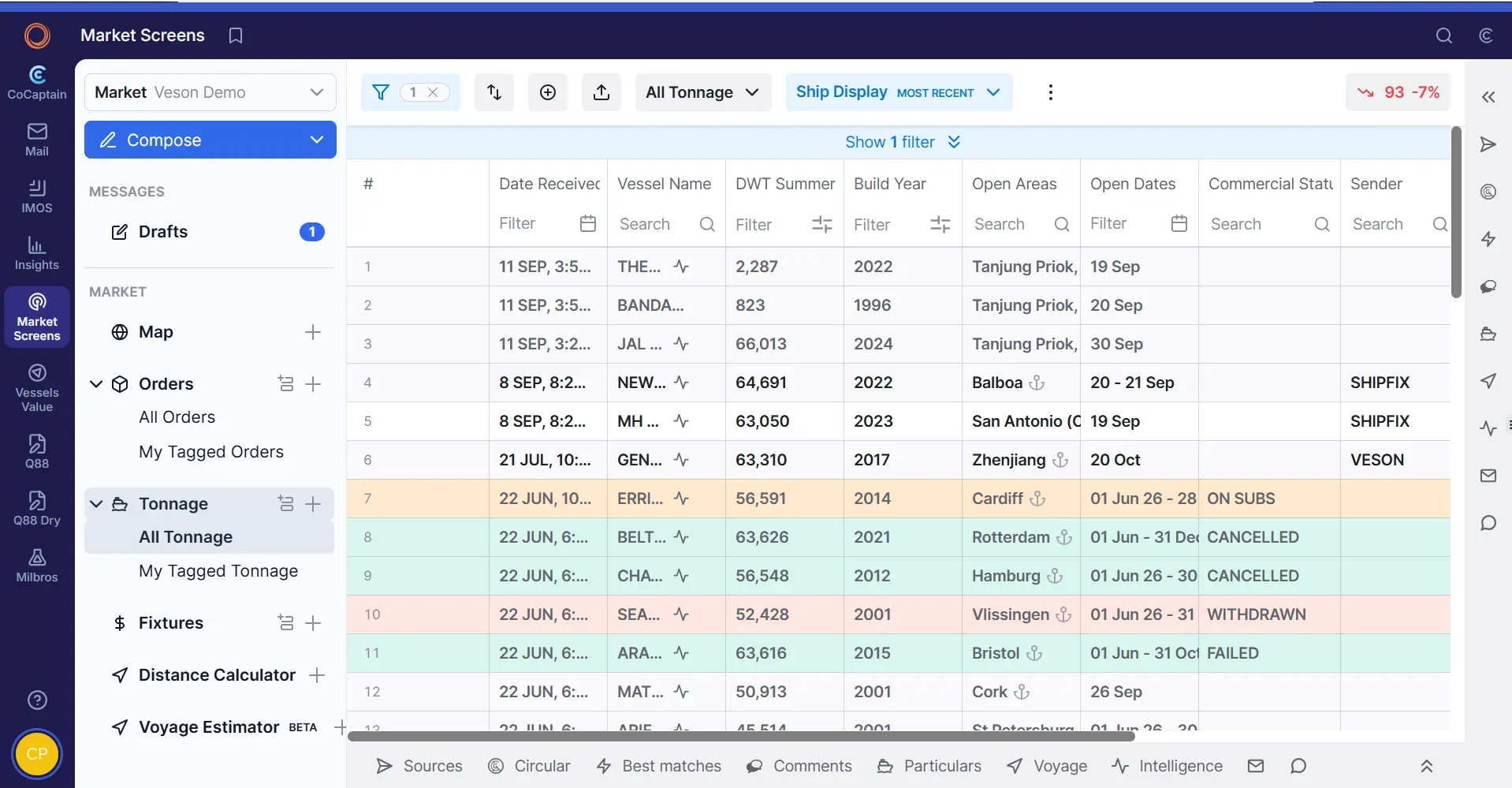
CoCaptain can now answer questions about your market data in plain language, which makes it faster to find orders, tonnage, and fixtures. If you already use the Shipfix Market workspace, you’ll recognize most of what you see.
VesselsValue: Valuations, market data, and fleet intelligence in one place
VesselsValue brings real-time vessel valuations, market data, and fleet intelligence into the Veson Platform, so you have all the information you need in one place to make decisions with confidence.
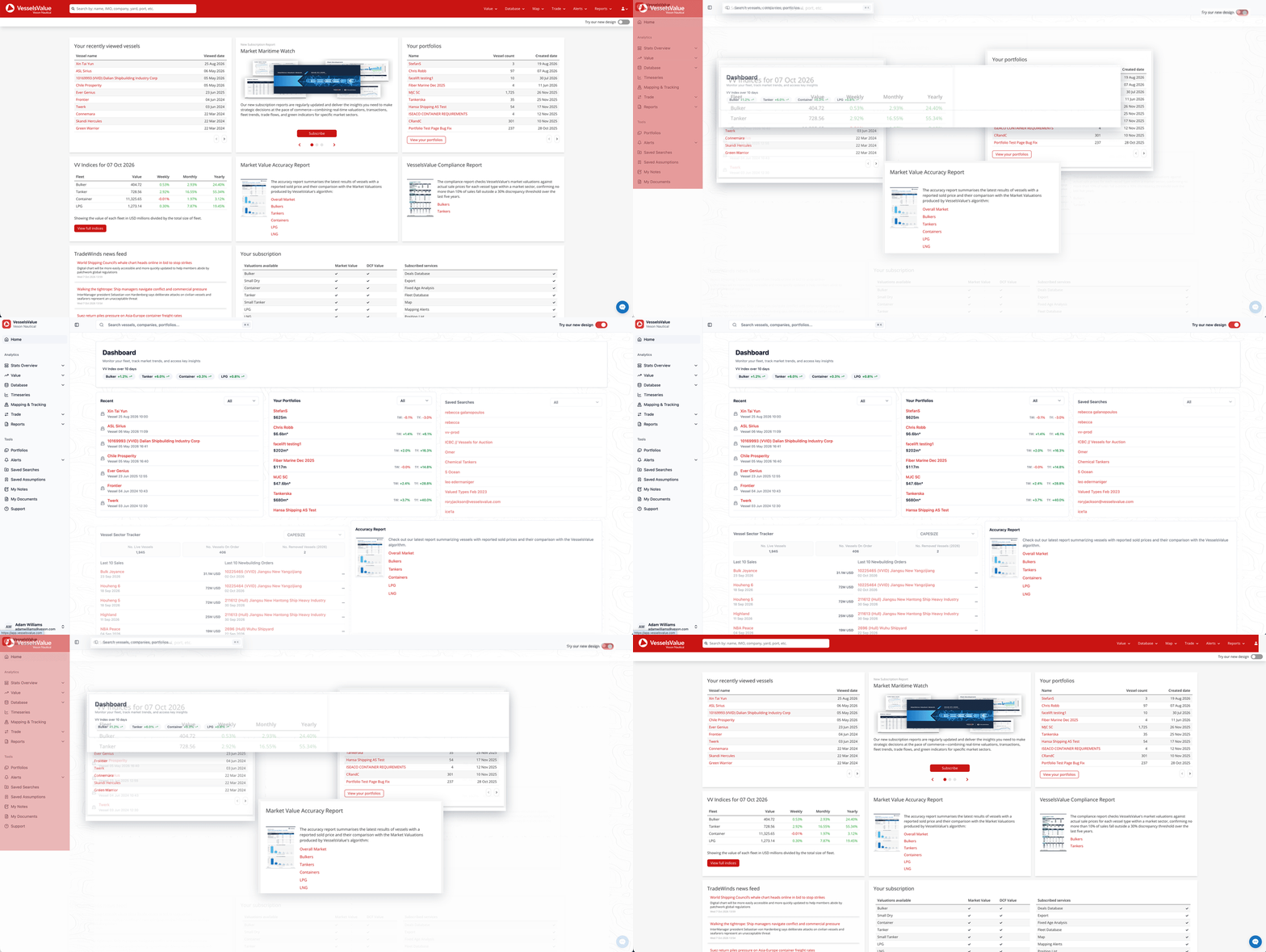
We’ve updated the VesselsValue experience with a refreshed design and additional functionality to help you find the data you need, faster:
- Modernized interface: Features a clearer layout with easier navigation while the data you rely on stays exactly the same.
- Enhanced dashboard: Provides an instant read on the market with VV indices, your saved searches and portfolios, and key market panels.
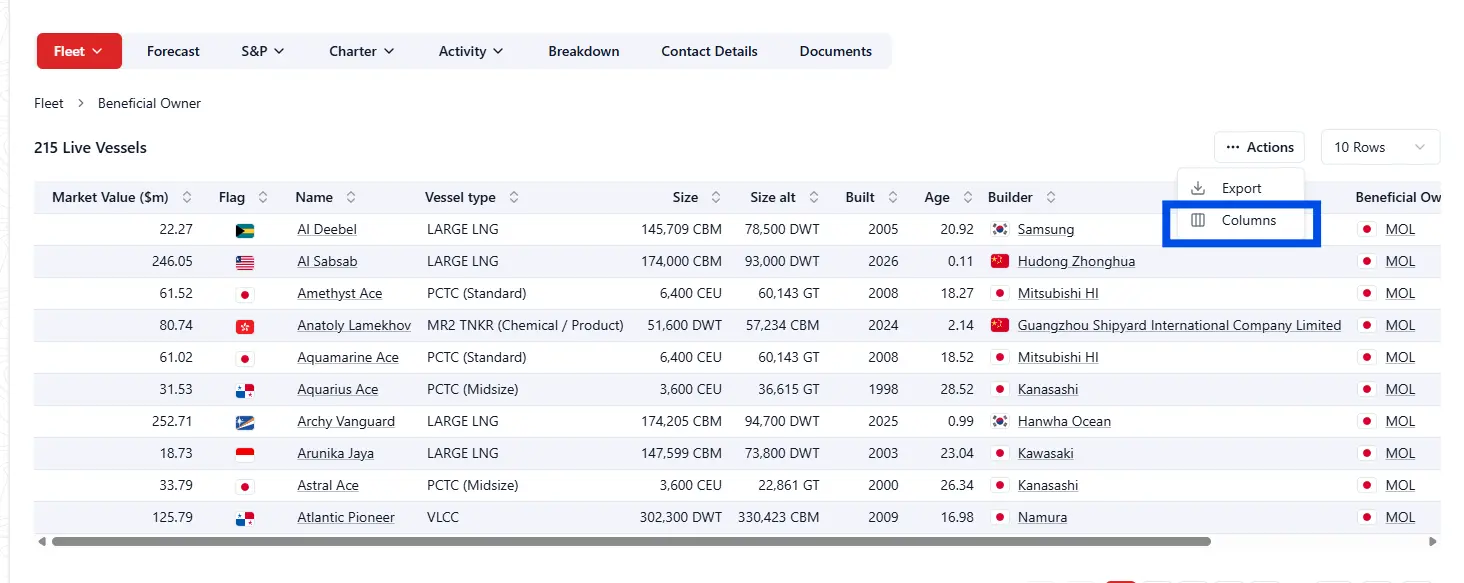
- Customizable columns: Adjust tables with customizable columns across Deals Database, Orderbook, Charts, and Trade Search, as well as Stats, Matrix, and on Company and Builder pages.
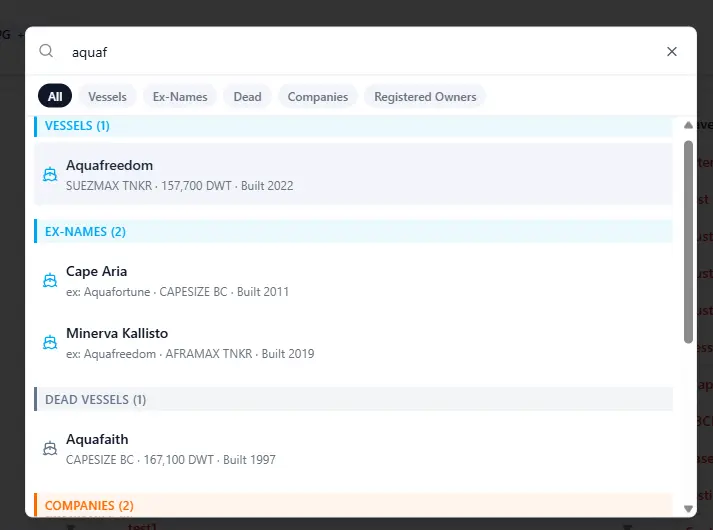
- A smarter quick search: Now shows vessels, companies, and ports in one place. Use the filters at the top to narrow results by type and use the recent list to get back to previous searches quickly.
- Improved vessel page: Updates include up/down indicators on the historical valuation chart, en bloc transactions in sales and newbuild history, and customizable columns for key tables.
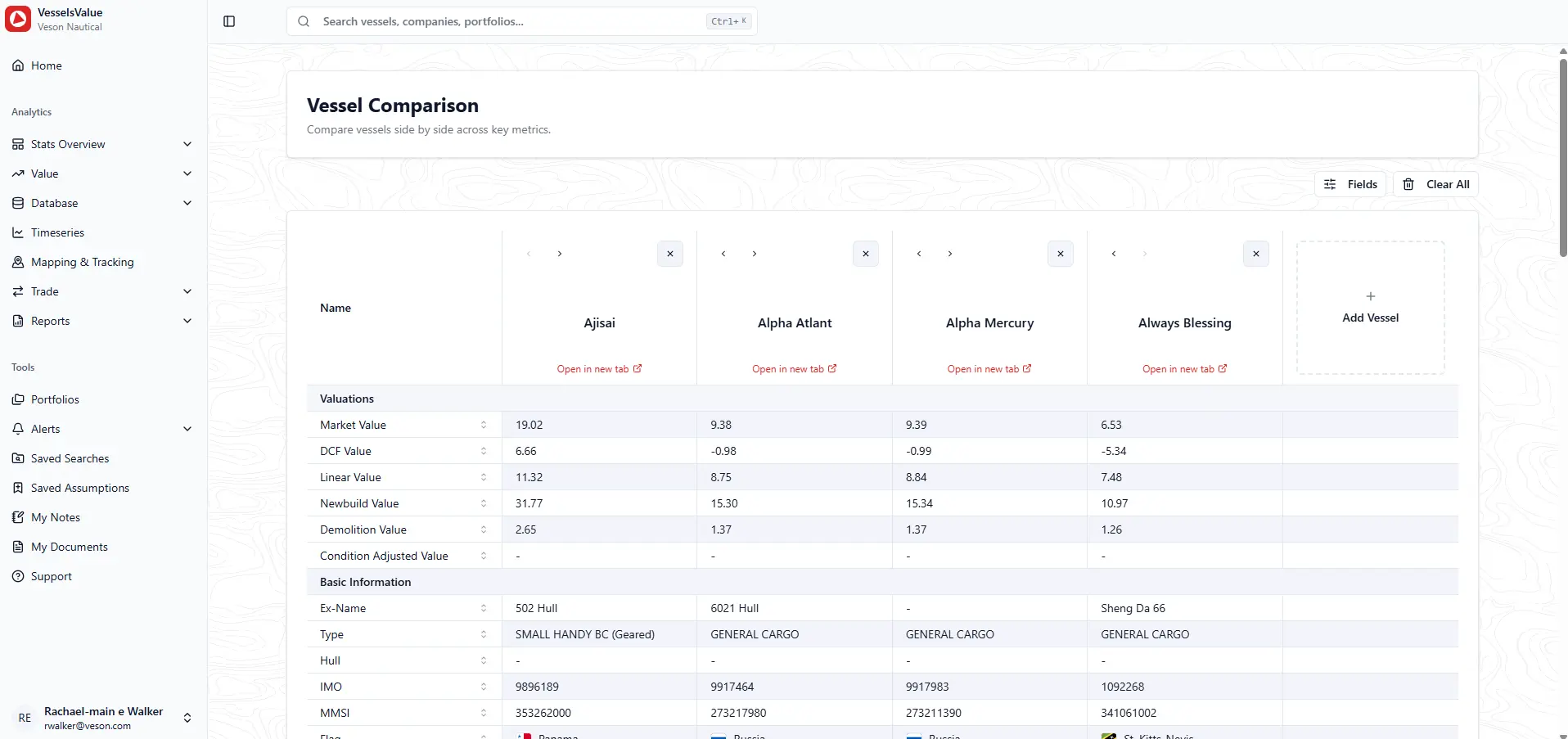
- Revamped vessel comparison: Compare vessels with expanded and customizable comparison fields from Fleet and Deals Database.
CoCaptain now works with your VesselsValue data in the Veson Platform, filtering and summarizing records from Fleet and Deals Database, so you can streamline research and portfolio management. That includes vessel specifications, ownership, energy efficiency, inspections, and transactions.
The Veson Platform: One foundation for maritime trade
Every update we’ve made comes back to the same idea: when the products your teams rely on work together, the work gets easier. CoCaptain helps by working within the context of the product and record you’re in, so answers come in plain language and stay within your existing permissions. And because your subscriptions and standalone access stay as they are, you can adopt the Veson Platform at your own pace.
Log in now to start exploring these updates or reach out to Veson Support to get access.