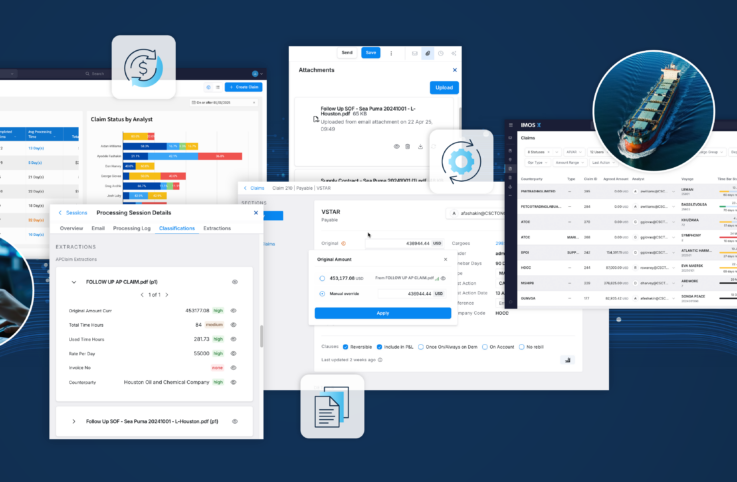
Welcome to your quarterly IMOS X Claims update. Each edition highlights the latest releases and enhancements we’ve added over the past quarter. This quarter, we’ve added two new AI-powered capabilities designed to improve your claim workflow efficiency and visibility.
Here’s what’s new.
CoCaptain Claim Screening: Organize Claims Automatically
Let’s face it, not all claims require the same level of attention and that’s exactly where CoCaptain can help. Now CoCaptain AI can screen and automatically categorize claims for analysts, and even finalize no-demurrage claims. This saves your team hours of unnecessary work and lets them focus on higher value claims.
You can customize specific screening rules and thresholds for CoCaptain to categorize claims into Demurrage, Needs Input, or No Demurrage. When a new claim comes in, CoCaptain will:
- Evaluate claims against predefined rules and logic
- Run calculations independently across documents and operational data
- Determine whether a claim results in a demurrage, no-demurrage, or if more input is needed outcome
- Provide a clear explanation of how that conclusion was reached
See it in action below:
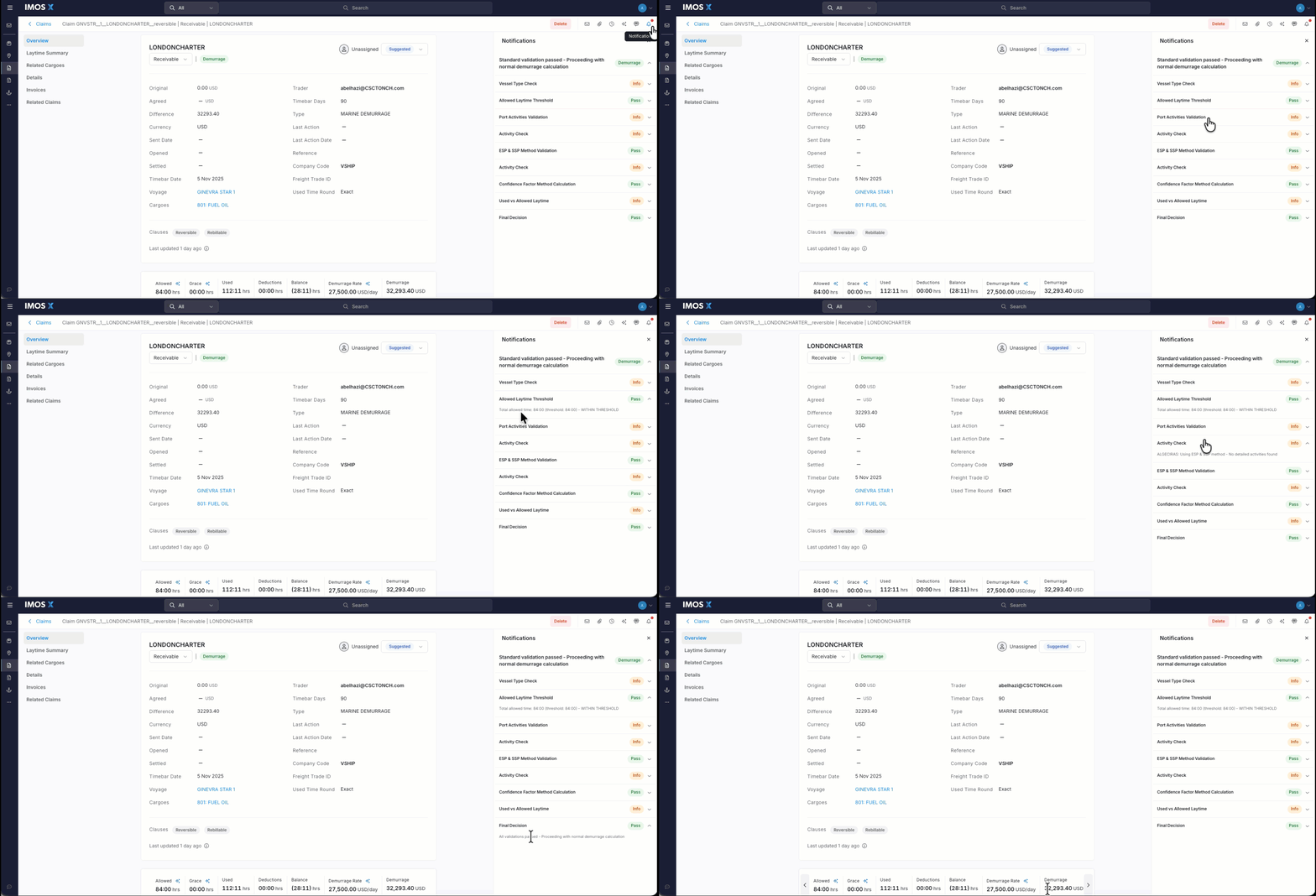
CoCaptain categorized the claim as Demurrage for Analyst to begin working on it.
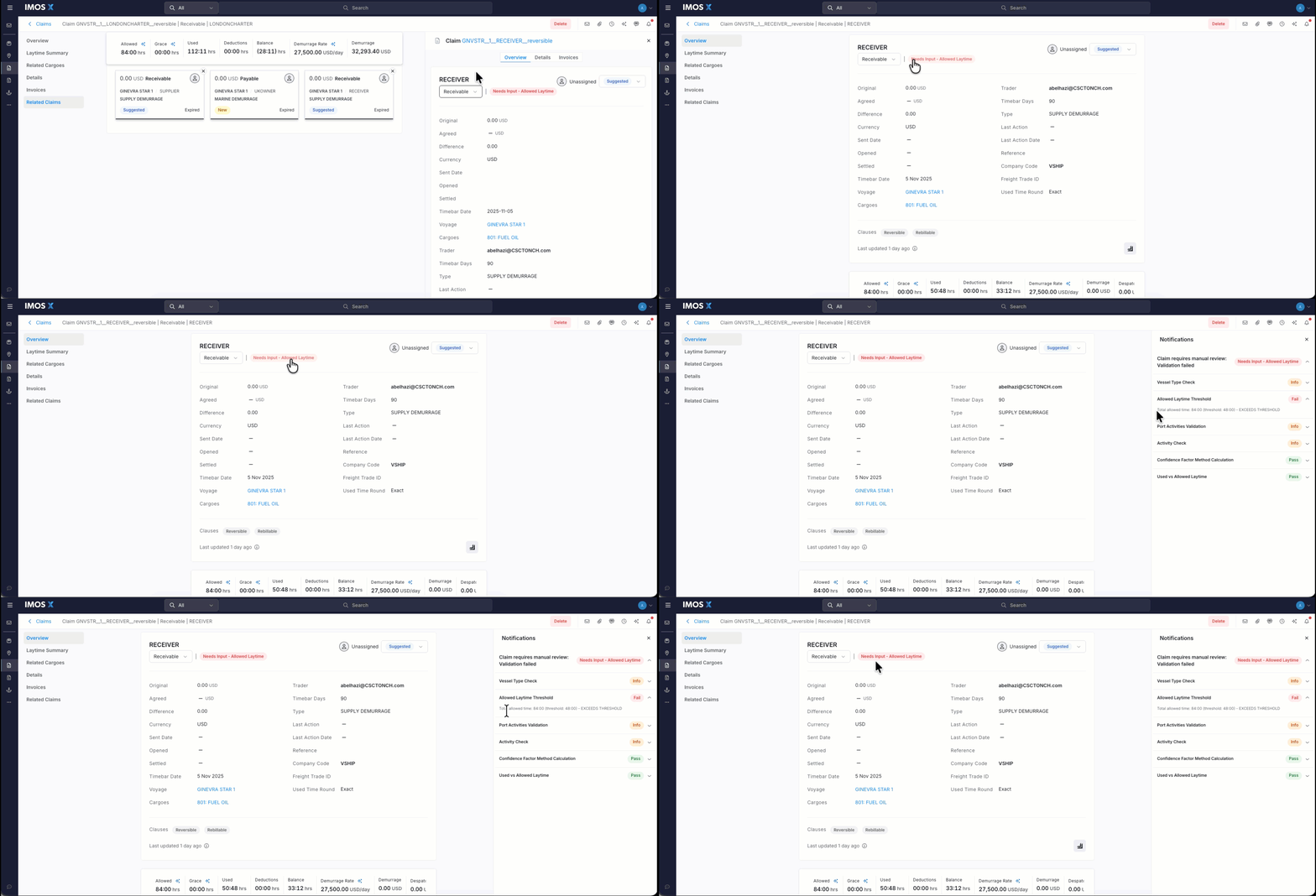
CoCaptain flags this supply demurrage claim for investigation after it exceeded allowed time threshold.
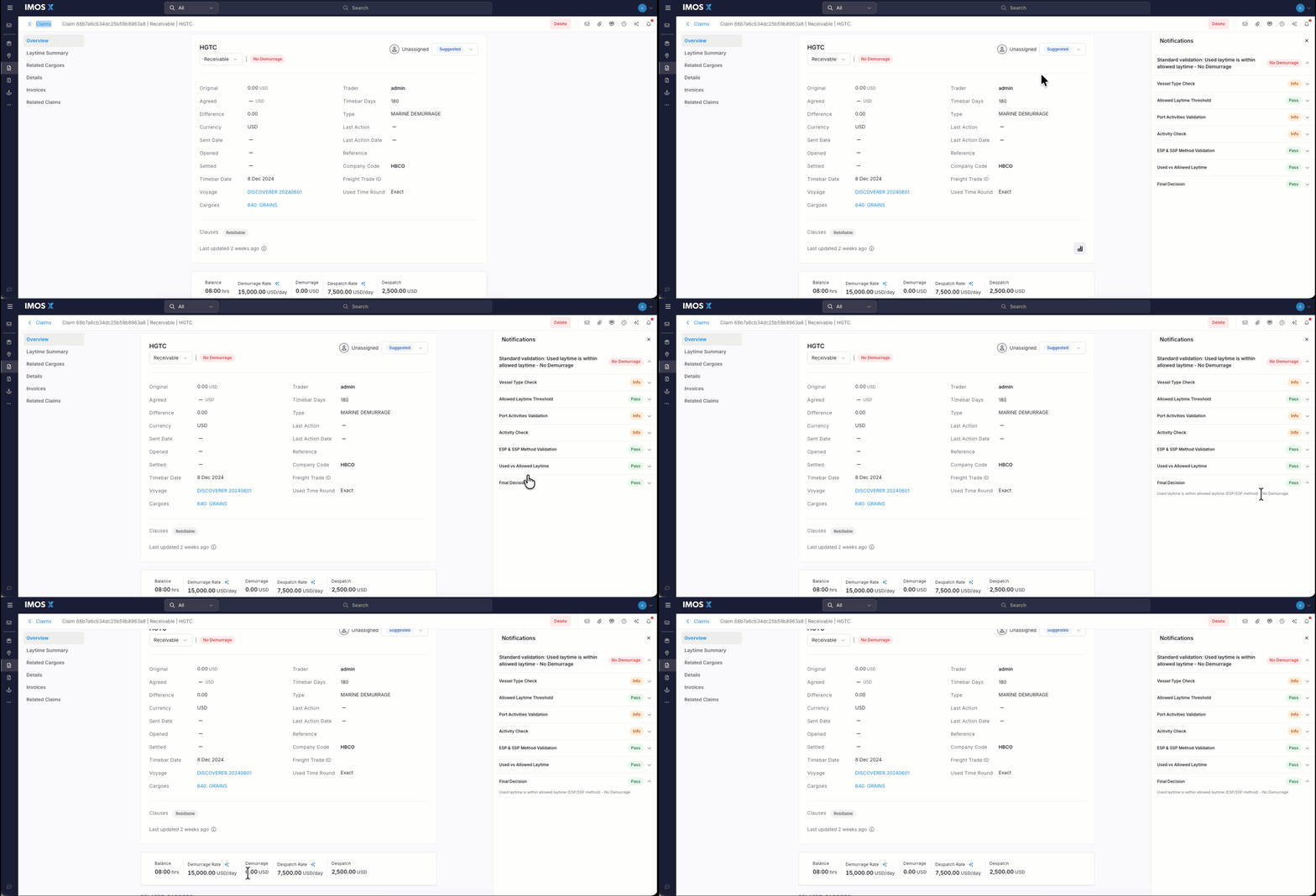
CoCaptain evaluated the claim documents and determined there’s no demurrage, allowing the analyst to finalize the claim.
With IMOS X Claims, it’s easy to verify CoCaptain’s work and how it arrived at the conclusion through the notification window on the claim. More details on how it works
This allows teams to quickly filter out claims that don’t require deeper analysis and move them toward settlement faster.
Instead of spending time validating straightforward cases, analysts can focus on high-value claims where negotiation and expertise matter most.
CoCaptain Chat: Instant Insights, On Demand
Finding the claim information you need is often not easy or fast. CoCaptain helps make that easier by automatically organizing claim documents and extracting key pieces of information into the claims workspace.
With the CoCaptain chat interface now directly within IMOS X, it’s even easier and faster for users to understand and act on claims data. You can:
- Ask natural language questions about a claim
- Generate executive summaries in seconds
- Validate whether all required documents are present
- Analyze contract clauses and their impact
- Add the quick access prompts you use the most
Customize and set predefined prompts you use often
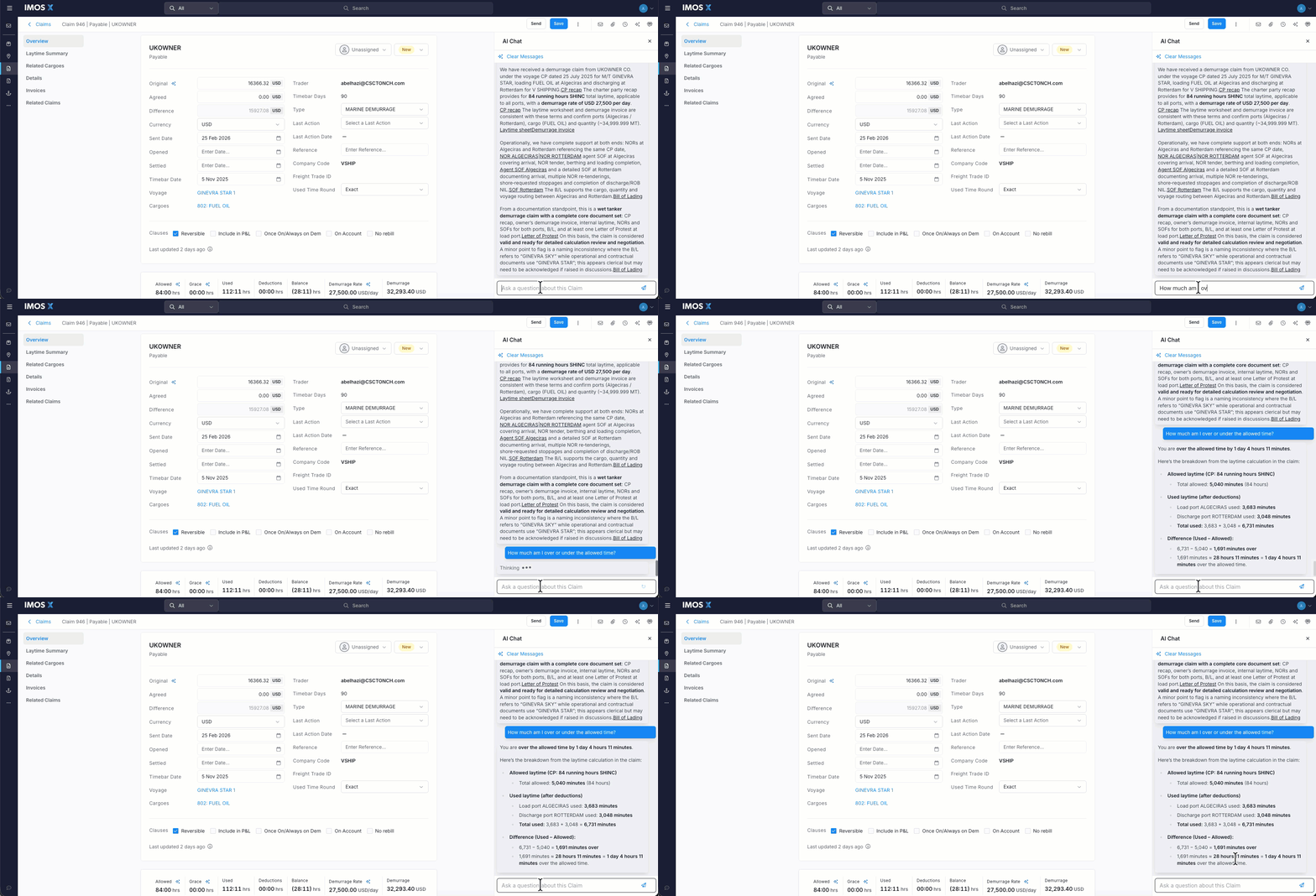
Ask questions about your claim
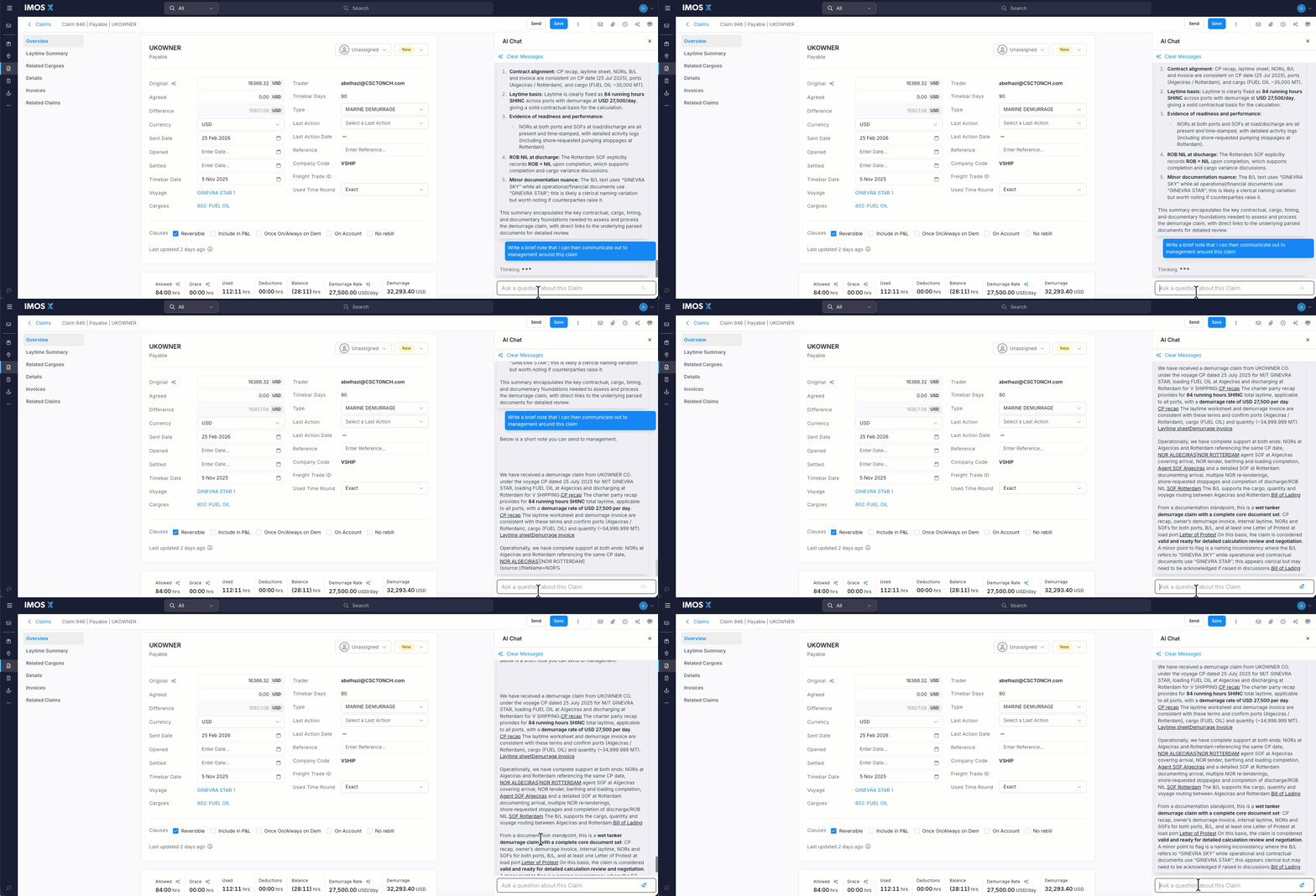
Have CoCaptain prepare claim summaries for you
This dramatically reduces the time spent compiling information — turning hours of manual work into instant, explainable outputs.
Built on a Strong Foundation of AI-Powered Claims Management
These new capabilities build on a strong foundation inherently designed to solve the core inefficiencies in claims processing.
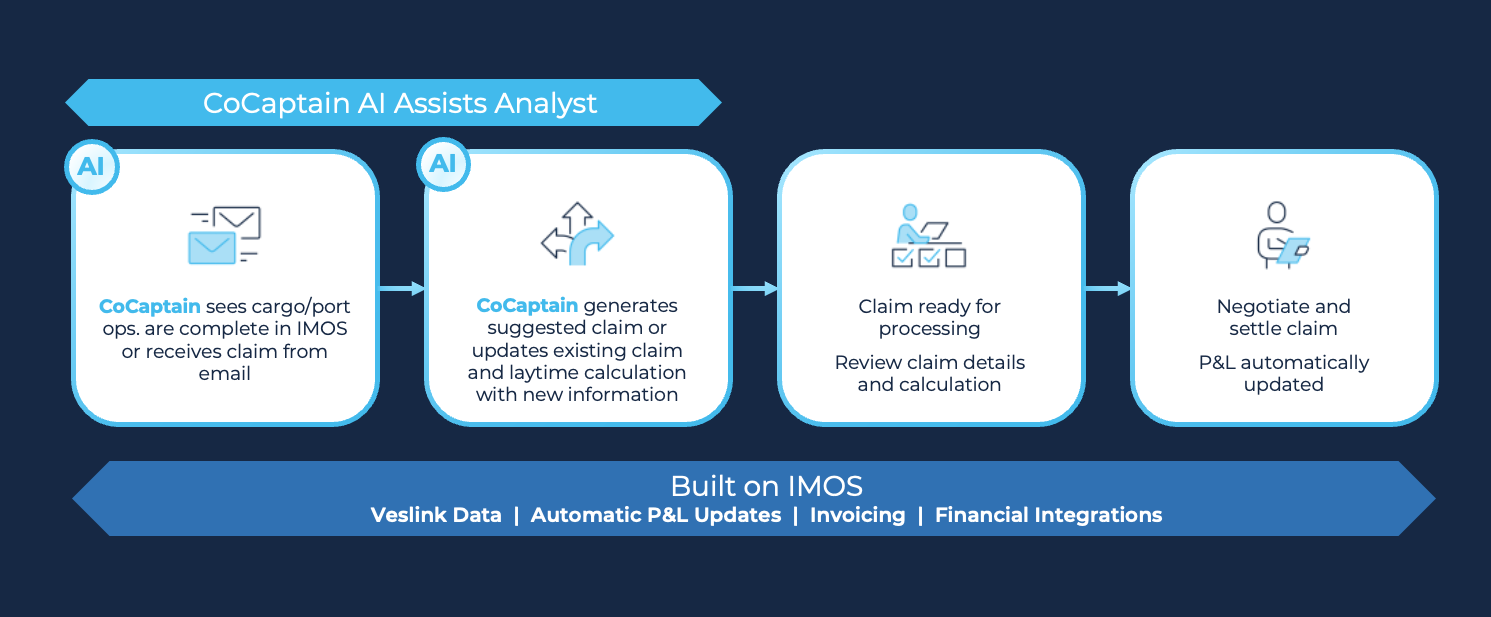
At the heart of every claim is a large volume of unstructured data that needs to be organized and understood.
CoCaptain automatically ingests and organizes emails, attachments, and supporting documents, linking them to the relevant claim.
Manual calculations slow down workflows and introduce unnecessary risk. CoCaptain pulls together data from multiple sources to generate initial claim calculations automatically. t quarter for more.
Thanks for being a part of our Veson community. To learn more about IMOS X Claims, request a demo or reach out to your Veson representative. We hope you enjoy these enhancements, and we’ll see you next quarter for more.